Loading
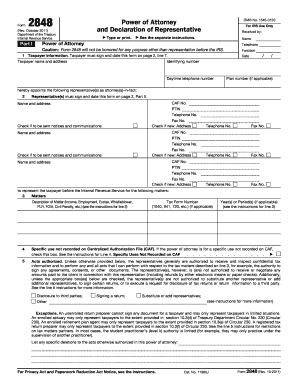
Get Fillable 2848
This website is not affiliated with IRS
How it works
-

Open form follow the instructions
-

Easily sign the form with your finger
-

Send filled & signed form or save
How to fill out the Fillable 2848 online
Filling out the Fillable 2848, the power of attorney and declaration of representative form, is a crucial step for anyone wanting to authorize a representative to act on their behalf before the IRS. This guide provides clear, step-by-step instructions to ensure you complete the form accurately and effectively.
Follow the steps to successfully complete the Fillable 2848.
- Click ‘Get Form’ button to obtain the form and open it in an online editor.
- Fill in the taxpayer information in Part I. Include the taxpayer's name, address, identifying number, date, and daytime telephone number. Ensure the taxpayer signs and dates the form on Page 2, Line 7.
- Appoint one or more representatives by providing their names and addresses. If you want the representatives to receive notices and communications, check the appropriate box.
- Specify the matters for which the representative will act. Describe the matters (e.g., income, employment) and include any applicable tax form numbers and years or periods.
- Indicate any specific uses not recorded on the Centralized Authorization File (CAF) by checking the designated box. Review the instructions for additional guidance.
- Define the acts authorized for the representatives. You may need to specify any exceptions to the general authority provided. Refer to the instructions for line 5 for clarifications.
- If applicable, check the box to retain any prior powers of attorney. Attach a copy of any documents you wish to keep in effect.
- Sign and date the form in Part I. If the representative is signing on behalf of the taxpayer, ensure they have the authority to do so.
- In Part II, representatives must complete their declaration by indicating their designation and licensing jurisdiction, signing, and dating the section.
- Once all sections are completed, review the form for accuracy and completeness. Save changes, then download, print, or share the completed form as needed.
Complete your Fillable 2848 online today to ensure proper representation before the IRS.
Signatures on mailed or faxed forms must be handwritten. Electronic signatures are not allowed. Most Forms 2848 and 8821 are recorded on the IRS's Centralized Authorization File (CAF).