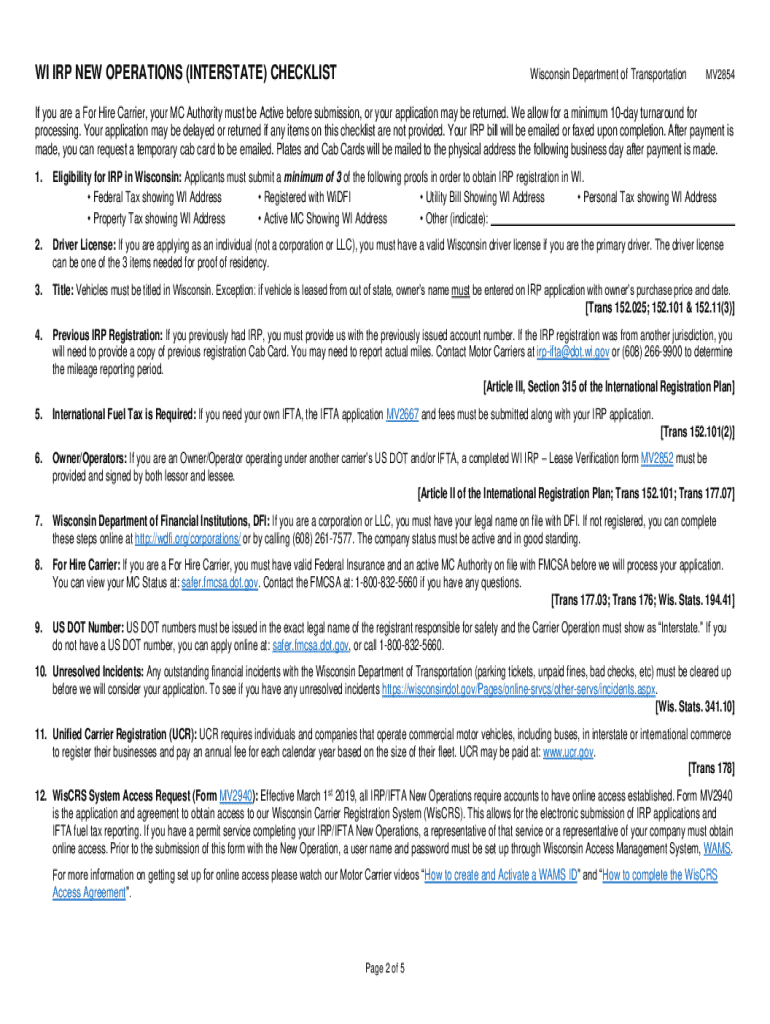
Contact IRP for mileage report period. 24. Fuel Tax is required Are you responsible for filing Fuel Tax reports and Company FEIN If No provide a copy of the lease verification form. Yes Submit IFTA application form MV2667 with MV2854 25. Clear Form WI IRP APPLICATION SCHEDULE B NEW OPERATION Wisconsin Department of Transportation IRP Unit MAIL PO Box 7955 Madison WI 53707-7955 PHYSICAL 4802 Sheboygan Ave. Rm 151 Madison WI 53705 TELEPHONE 6.
Loading

Open form follow the instructions

Easily sign the form with your finger

Send filled & signed form or save
How to fill out the WI MV2854 online
Filling out the WI MV2854 form is an essential step for obtaining the International Registration Plan (IRP) registration in Wisconsin. This comprehensive guide will assist you in navigating the online process to ensure that you correctly complete each section of the form.
Follow the steps to accurately complete the WI MV2854 form online.
- Click the ‘Get Form’ button to obtain the form and open it for editing.
- Enter the operation start date. This date signifies the commencement of your operations and cannot be back-dated. Consider a start date at the beginning of the next month if you are applying at the month's end.
- Provide your Federal Employer ID Number (FEIN) or Social Security Number (SSN). Use your FEIN if applying as a business or your SSN if applying as an individual without a FEIN.
- Input your US DOT Number if applicable. This should match your carrier authority. If you are under another carrier's authority, provide their US DOT Number.
- If applicable, include your Wisconsin registration number (WI #) for IRP. Leave the field blank if you do not have one.
- Fill out your exact legal name in the registrant name section. This must correspond to how your business is registered with the Wisconsin Department of Financial Institutions.
- Enter the registrant's email address for correspondence regarding your application.
- Provide the complete physical address of the registrant, ensuring it is a valid Wisconsin address.
- Record the registrant's phone number in the designated area.
- If your mailing address differs from the physical address, enter it along with the city, state, and ZIP code. This is where all correspondence will be sent.
- Include the contact person’s name for inquiries related to the application.
- Provide the contact person's email address for ongoing communications.
- List the contact person's phone number for any follow-up queries regarding the application.
- If using a permit service, enter their name. A Power of Attorney may be required.
- Include the permit service’s telephone number for direct communication.
- Input the full address of the permit service, including city, state, and ZIP code.
- Provide either the email address or fax number of the permit service.
- Select the fleet type that applies to your operations, reflecting your US DOT Number classification.
- Check the box that describes your commodity type, using 'All' if necessary.
- Select the option that describes your business type.
- Indicate if you operate under a Wyoming Operating Authority, checking the corresponding box.
- Mark whether you have had IRP registration in any state or province, providing the account number if applicable.
- Select how the vehicles you are registering previously licensed were categorized.
- Indicate your responsibility for filing Fuel Tax reports, marking ‘Yes’ or ‘No’.
- Fill the mileage chart according to the jurisdiction, including estimated or actual miles as required.
- If applicable, provide vehicle-specific details such as weight classifications for each unit being registered.
- Sign and date the application to affirm that all provided information is true and correct.
- Once all sections are filled, you can save your changes, download the form, print it out, or share it as needed.
Complete your document online today to begin your application process.
Experience a faster way to fill out and sign forms on the web. Access the most extensive library of templates available.
Related content
WI IRP APPLICATION – SCHEDULE B NEW OPERATION. Wisconsin Department of Transportation...
Use professional pre-built templates to fill in and sign documents online faster. Get access to thousands of forms.
If you believe that this page should be taken down, please follow our DMCA take down process here.