Loading
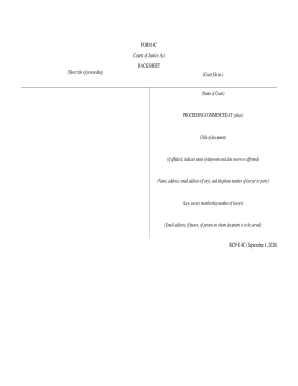
Get Canada Rcp-e 4c 2020-2026
How it works
-

Open form follow the instructions
-

Easily sign the form with your finger
-

Send filled & signed form or save
How to fill out the Canada RCP-E 4C online
The Canada RCP-E 4C form is a crucial document used in legal proceedings within the Canadian court system. This guide provides a comprehensive and user-friendly approach to filling out the form online, ensuring that you understand each section and can complete it accurately.
Follow the steps to complete the Canada RCP-E 4C form online.
- Click the ‘Get Form’ button to obtain the document and open it in the online editor.
- Fill in the short title of the proceeding in the designated field, ensuring it accurately reflects the nature of the case.
- Enter the court file number in the appropriate section, making sure it is correct as it is essential for identifying your case.
- Specify the name of the court where the proceeding is taking place, as this assists in directing your documents to the right location.
- Indicate the place where the proceeding commenced, providing a clear and specific location.
- In the title of the document field, accurately describe the purpose of the form you are submitting.
- If applicable, state the name of the deponent and the date sworn or affirmed for affidavits, ensuring accurate representation for verification purposes.
- Provide the full name, address, email address (if applicable), and telephone number of the lawyer or party responsible for this document.
- Include the law society membership number of the lawyer if applicable, as this is necessary for professional identification.
- If known, enter the email address of the person on whom the document is to be served. This step ensures they receive the necessary legal communication.
- After reviewing all fields for accuracy, you can save changes, download, print, or share the completed form as needed.
Complete your legal documents online today for a seamless filing experience.