Loading
Get Antes De Ver El Video
How it works
-

Open form follow the instructions
-

Easily sign the form with your finger
-

Send filled & signed form or save
How to fill out the Antes De Ver El Video online
This guide will assist you in completing the Antes De Ver El Video form online. By following the instructions provided, users of all experience levels can easily navigate the form’s components to ensure accurate completion.
Follow the steps to effectively complete the form online.
- Press the ‘Get Form’ button to retrieve the form and open it for your use in the online editor.
- In the 'Nombre' field, enter your name as it appears formally.
- Enter the 'Hora' or time you are filling out the form.
- Complete the 'Fecha' section with the current date.
- For the 'Actividad 1' section, make a list of five unhealthy foods in the specified field and five healthy foods in the other field.
- Proceed to 'Actividad 2' and write the name of the person who made each statement from the video in the provided blank spaces.
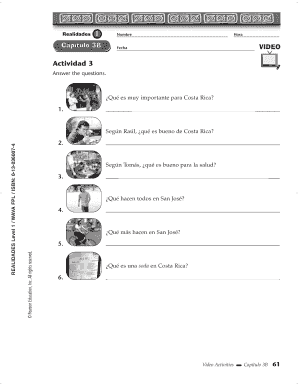
- In 'Actividad 3', answer the questions based on the video content, ensuring each answer clearly reflects your understanding.
- For 'Actividad 4', think of examples of English words that have different meanings in various regions and list them.
- After completing the form, you can save your changes, download the document, print it, or share it as needed.
Complete your forms online today to streamline your document management!