Loading
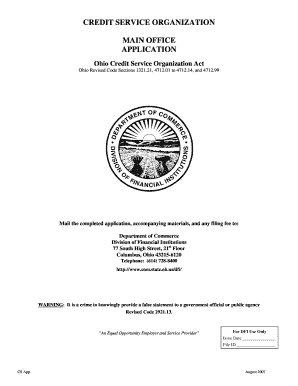
Get Credit Service Organization Ohio Form
How it works
-

Open form follow the instructions
-

Easily sign the form with your finger
-

Send filled & signed form or save
How to fill out the Credit Service Organization Ohio Form online
Filling out the Credit Service Organization Ohio Form online can be a straightforward process if you follow the appropriate steps. This guide provides detailed, step-by-step instructions to help users complete the form accurately and efficiently.
Follow the steps to complete your application online.
- Click ‘Get Form’ button to obtain the form and open it in the editor.
- Enter the name of the applicant. If not a corporation, provide the name under which the business will be conducted.
- Fill in the federal tax ID number as required.
- Provide the DBA, fictitious, or trade name, and be sure to submit a copy of the trade name certificate issued by the Ohio Secretary of State.
- Complete the address of the business to be registered, including city, state, county, and zip code.
- List the telephone number and website address, and indicate if the website is interactive or transactional.
- If the address registered is zoned for the type of business, confirm it; otherwise, be informed that a certificate cannot be issued.
- For a corporation, provide the date of incorporation, address of main office, and details regarding shares authorized.
- Disclose any relevant legal entities associated with the applicant and provide supporting documentation (e.g., partnership agreements, letters of good standing).
- When all fields are complete, save your changes. You may then choose to download, print, or share the filled application.
Ensure your application is correctly completed and submit the required documentation online.
Credit Repair Statistics (Editor's Choice) The American credit repair services market is worth $3.4 billion as of 2021. Credit reporting firms get updated on 1.3 billion tradelines from 10,000 furnishes each month.