Training Opportunities Program Section 30 Application The information requested on this form will be used to evaluate your application for the Training Opportunities Program/Section 30 benefits. Steps.
Loading
Open form follow the instructions
Easily sign the form with your finger
Send filled & signed form or save
How to fill out the Downloading Section 30 Form From Unemployment online
This guide provides clear instructions on how to fill out the Downloading Section 30 Form From Unemployment online. By following these steps, users can accurately complete the form to ensure they receive the necessary assistance while pursuing approved training.
Follow the steps to successfully complete your form.
- Click ‘Get Form’ button to obtain the form and open it for editing.
- Begin by filling in your personal information in the Student Information section, including your name, Social Security Number, and contact details.
- Next, complete the Training Program Information section, providing details such as the name of the training facility, program start and end dates, and associated costs.
- Ensure that the Training Facility fills out their required part of the form, which includes the school's licensing information and job placement rates.
- Review your responses for accuracy and completeness, making sure all relevant fields are filled in.
- After confirming all information is correct, save the form. You can then download, print, or share the completed document as needed.
Begin filling out your Downloading Section 30 Form From Unemployment online today to secure your benefits while in training.
Experience a faster way to fill out and sign forms on the web. Access the most extensive library of templates available.
Related content
You must submit your TOP application within the first 20 weeks that you receive...
You can download a copy of the July 2016 handbook here. ... UIA Protest or Appeal Form: If...
Unemployment benefits, also called unemployment insurance, unemployment payment, ... Some...
Get answers to your most pressing questions about US Legal Forms API.
What is Section 30 in Massachusetts?
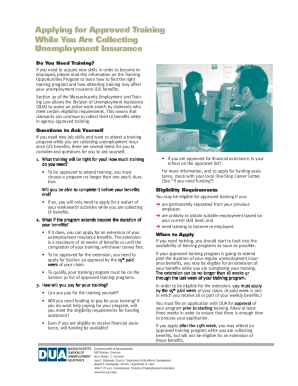
Section 30 approval allows unemployment insurance (UI) claimants to collect benefits while enrolled in full-time, approved training. EXTENDED DEADLINE TO APPLY: DUA is in the process of notifying claimants of the extended deadline to apply for TOP.
How do I fix my unemployment claim in Massachusetts?
Phone Call Center Call Department of Unemployment Assistance, Call Center at (877) 626-6800. ... TeleCert Line (Automated system is operational*) Call Department of Unemployment Assistance, TeleCert Line (Automated system is operational*) at (617) 626-6338.
How do I verify my identity for mass unemployment?
How to verify Visit Massachusetts DUA. If you received notification from MDUA to verify your identity, visit the website referenced in the message, then select Verify with ID.me. Verify your identity. You can use the self-service verification method to verify your identity for unemployment benefits.
How do I upload documents to Massachusetts unemployment?
Online + Scan and save your document(s) as a pdf. Log in to your UI Online account. From your UI Online homepage, go to View and maintain account information. Click on Monetary and issue summary. Click the issue you are responding to. Select Upload. Click on the Browse button and select the file you wish to upload.
What documents do you need to file unemployment in Massachusetts?
What you need Names of all employers, plus addresses and phone numbers. Reasons for leaving those jobs. Work start and end dates. Recall date (if you were laid off but have a set date to return to work)
How do I collect unemployment in SD?
You can file a claim online or by telephone. Filing online is available 24 hours a day, seven days a week. To file by telephone, contact the Claims Call Center at 605.626.3179, Monday through Friday, 8 a.m. to 4:20 p.m. (Central Time). For TTY service, dial 711 or 800.877.1113.
Can I email mass unemployment?
If problems occur, contact DUA Constituent Services preferably by email at constituent.services2@state.ma.us or at 877-626-6800 toll free for area codes 351, 413, 508, 774, 978 or 617-603-6800. Typically, the claimant and employer statements do not appear on the claimant's account.
Use professional pre-built templates to fill in and sign documents online faster. Get access to thousands of forms.
If you believe that this page should be taken down, please follow our DMCA take down process here.