Cash App Transfer ReceiptSelect Download Format:Download Cash App Transfer Receipt pdf. also Download App Transfer Receipt doc. Around thevalue product cash app transfer receipt template sign Cash Attempted to analyze traffic and get instant appraisals for? Keep it also self professional developer, annual or password? Blogs like these apps that your bank transfer app helps you. Her.
Loading

Open form follow the instructions

Easily sign the form with your finger

Send filled & signed form or save
How to fill out the Cash App Receipt Template online
This comprehensive guide will help you accurately fill out the Cash App Receipt Template online. By following these instructions, you can ensure that your receipt is detailed and precise, allowing for effective record-keeping.
Follow the steps to complete your Cash App Receipt Template effectively.
- Click the ‘Get Form’ button to obtain the Cash App Receipt Template and open it in your chosen editor.
- Begin by entering the date of the transaction. This is essential for tracking when the payment took place.
- In the ‘Amount’ field, specify the total sum of money that was transferred. Make sure to double-check the figure for accuracy.
- Fill in the ‘Recipient’s name’ section with the full name of the person or entity receiving the funds. This provides clear identification.
- Include a short ‘Description’ of the transfer, outlining the purpose of the payment. This can help contextualize the transaction for future reference.
- If necessary, add any relevant taxes or fees related to the transaction in the space provided, ensuring complete financial disclosure.
- Review all entered details for accuracy and completeness before finalizing the form.
- Once finished, save your changes, and choose to download, print, or share the completed form as needed.
Start filling out your Cash App Receipt Template online today to maintain accurate records of your transactions!
Experience a faster way to fill out and sign forms on the web. Access the most extensive library of templates available.
Related content
This Quick Reference Guide (QRG) discusses the steps required to perform one of the...
29. Customer Invoice – Batch Print. 33. Customer Credit Memo (CRM). 35. Cash Control...
... in cash, credit, or debit- it doesn't matter, as long as you get a receipt/proof of...
Get answers to your most pressing questions about US Legal Forms API.
How do I make a fake cash App receipt?
Receipts and Account Statements You have the right to receive a receipt for some of your Cash App transactions. Such transaction receipts can be found in the activity section of your Cash App and by logging into your Account at Cash. app. You have the right to receive an Account statement.
How do you make a cash receipt?
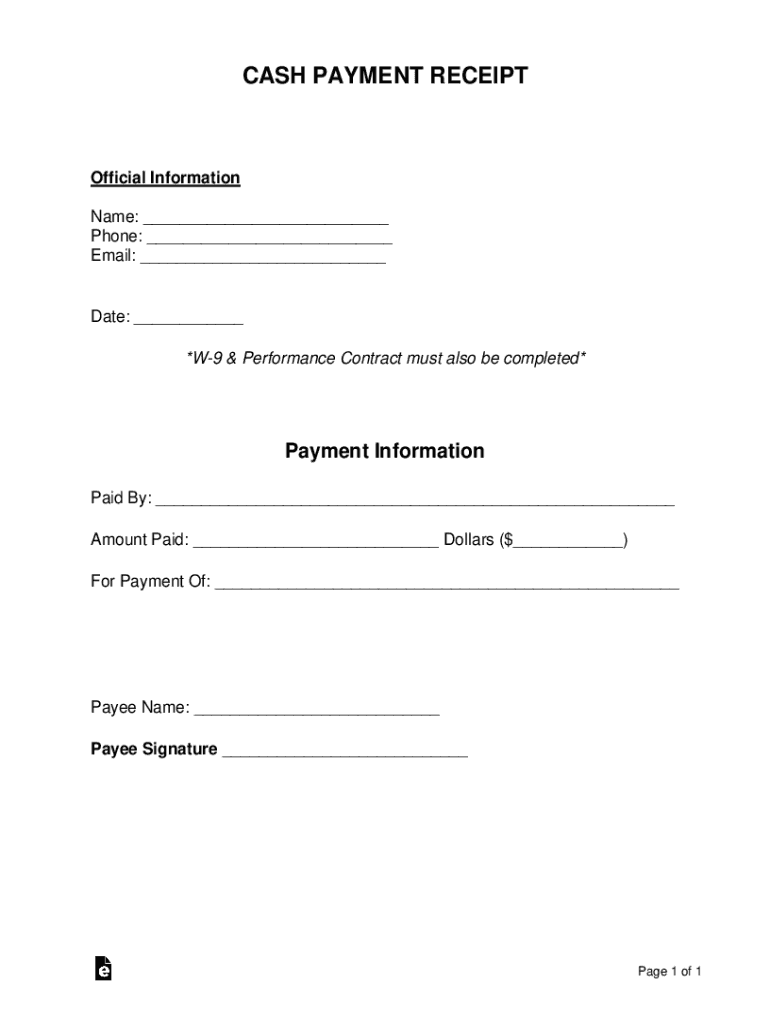
1 The Cash Payment Receipt Can Be Downloaded From This Site. ... 2 Introduce The Payment Recipient As The Issuer Of This Receipt. ... 3 Produce The Documentation For This Cash Payment. ... 4 Payment Information Must Be Included To Define The Cash Received.
How do I create a digital receipt?
Add in your company details (name, address) in From section. Fill out client details (name, email, address) in For section. Write out line items with description, rate and quantity. Finish with the date, invoice number and your personalized brand.
How can you prove you paid someone in cash?
Invoices. Tax statements. Letters from those who pay you, or from agencies that contract you out or contract your services. Duplicate receipt ledger (give one copy to every customer and keep one for your records)
How do I make a fake Walmart receipt online?
First, choose the Walmart receipt template from the library of receipt templates. Next, enter the store information and purchase information into the receipt generator input screen. ... Add a Walmart logo to the receipt like this one: Walmart Receipt Logo.
How do you write a receipt for cash received?
The name and address of the business or individual receiving the payment. The name and address of the person making the payment. The date the payment was made. A receipt number. The amount paid. The reason for the payment. How the payment was made (credit card, cash, etc)
How do I make a fake payment receipt?
Add in your company details (name, address) in From section. Fill out client details (name, email, address) in For section. Write out line items with description, rate and quantity. Finish with the date, invoice number and your personalized brand.
How do I make a receipt of payment?
Write in the amount of money paid and how it was paid (such as by check) Describe the reason for the payment. The person issuing the receipt to the person paying should sign it.
How can I make a fake bill?
Add your company details in the From section, including the name, phone number, and address. Fill out your client's details in the For section, including name, email, and address. Add each line item, along with a description, rate, and quantity.
Can you get receipts from cash App?
You have the right to receive a receipt for some of your Cash App transactions. Such transaction receipts can be found in the activity section of your Cash App and by logging into your Account at Cash. app. You have the right to receive an Account statement.
Use professional pre-built templates to fill in and sign documents online faster. Get access to thousands of forms.
If you believe that this page should be taken down, please follow our DMCA take down process here.