Loading
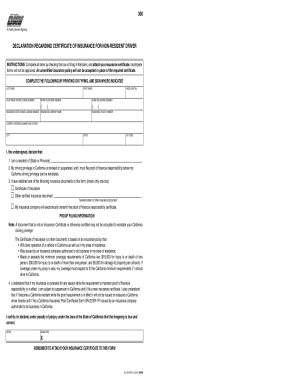
Get Dl300 Form California
How it works
-

Open form follow the instructions
-

Easily sign the form with your finger
-

Send filled & signed form or save
How to fill out the Dl300 Form California online
The Dl300 Form is essential for non-residents of California who need to submit proof of financial responsibility to lift a driver license suspension or revocation. This guide provides clear, step-by-step instructions on how to complete this form online.
Follow the steps to complete the Dl300 Form California online.
- Press the ‘Get Form’ button to retrieve the form and open it in your browser.
- Begin by filling out your last name and first name in the appropriate fields.
- Enter your California driver license number, your residence state driver license number, and middle initial.
- Provide your work telephone number and your home telephone number.
- Input the insurance company name and the insurance policy number.
- Complete your current address by accurately filling in the number and street, city, state, and ZIP code.
- In the declaration section, check the box declaring your residency and affirming that your driving privilege in California has been suspended or revoked.
- Attach the required insurance certificate and ensure all information is correct; incomplete forms will not be processed.
- Review the proof filing information, ensuring that your insurance policy meets California's minimum coverage requirements.
- Sign and date the form, then save your changes, download it, or print it for submission.
Fill out and submit your Dl300 Form California online today to take the next step toward reinstating your driving privileges.
You can pay your reissue fees in a variety of ways. You can pay in person at your local DMV office with cash, check, debit card or money order, but not credit card. ... Payments by debit card, credit card and e-check can be made by phone at (800) 777-0133 or online at http://www.dmv.ca.gov via the "Online Services" page.