Loading
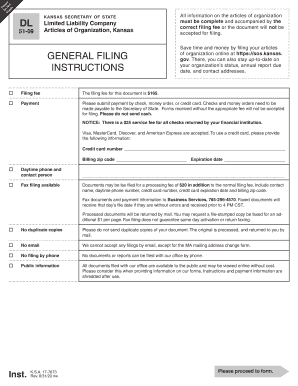
Get Senior Abbreviation - Fill Online, Printable, Fillable, Blank ... 2015
How it works
-

Open form follow the instructions
-

Easily sign the form with your finger
-

Send filled & signed form or save
How to fill out the Senior Abbreviation - Fill Online, Printable, Fillable, Blank ... online
This guide provides a step-by-step approach to effectively filling out the Senior Abbreviation form online. Whether you choose to complete the form digitally or print it, these instructions will ensure that you understand each section clearly.
Follow the steps to fill out the form accurately.
- Click the ‘Get Form’ button to access the document. This action will allow you to open the form for editing.
- Fill in the company name. Ensure you include a word of organization, such as 'Limited Liability Company' or use the abbreviation 'LLC'.
- Provide the name of the resident agent. This person or entity should be authorized to accept legal documents on behalf of the company.
- Enter the registered office address, which must be a valid street address in Kansas. P.O. Boxes are not acceptable.
- Complete the mailing address form. This address will be used for official communications from the Secretary of State's office.
- Specify the tax closing month. December is the default month if no other selection is made.
- Sign the form. One or more authorized persons must sign to validate the document under penalty of perjury.
- After completing the form, you can save your changes, download it for your records, or print it to send it to the appropriate office along with the required filing fee.
Complete your documents online efficiently and accurately today.
Get form
Experience a faster way to fill out and sign forms on the web. Access the most extensive library of templates available.
Related links form
Get This Form Now!
Use professional pre-built templates to fill in and sign documents online faster. Get access to thousands of forms.