Loading
Get Au Restraining Order Application To Vary Or Cancel 2020
How it works
-

Open form follow the instructions
-

Easily sign the form with your finger
-

Send filled & signed form or save
How to fill out the AU Restraining Order Application To Vary Or Cancel online
Filing a restraining order application online can be a crucial step in ensuring your safety or the safety of others. This guide provides step-by-step instructions on how to complete the AU Restraining Order Application To Vary Or Cancel, ensuring you understand each component of the form.
Follow the steps to accurately complete your application.
- Click the ‘Get Form’ button to access the application form. This will allow you to open the document in an editable format.
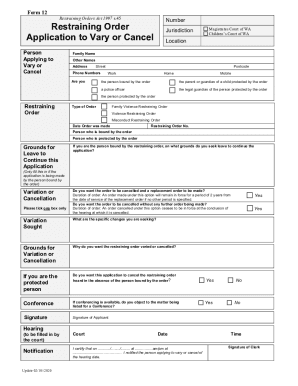
- Fill out your personal details in the fields provided. Include your family name, other names, address, and phone numbers. Specify whether you are the person bound by the order, a protected person, or another relevant party.
- Indicate the type of restraining order by selecting from the available options: Family Violence Restraining Order, Violence Restraining Order, or Misconduct Restraining Order.
- Enter the relevant details about the restraining order including the date order was made and the restraining order number.
- If you are the person bound by the restraining order, provide your grounds for leave to continue the application.
- Select whether you want the order cancelled with a replacement order or if you simply want it cancelled without further orders.
- Specify the changes you are seeking in the 'Variation Sought' section or provide reasons for the variation or cancellation in the appropriate field.
- If applicable, indicate whether you want the application to be heard in the absence of the person bound by the order.
- Sign the application in the designated area to confirm your submission.
- Once all fields are completed, save your changes, and you can choose to download, print, or share your completed form.
Submit your application online today to ensure your case is promptly addressed.