Loading
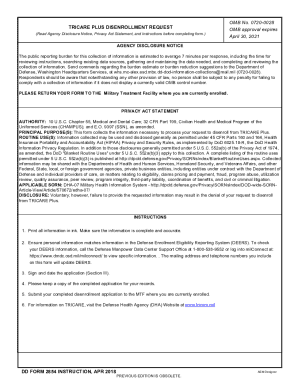
Get Dd 2854 2018-2026
How it works
-

Open form follow the instructions
-

Easily sign the form with your finger
-

Send filled & signed form or save
How to fill out the DD 2854 online
The DD 2854, also known as the TRICARE Plus Disenrollment Request form, is essential for individuals seeking to disenroll from the TRICARE Plus program. This guide will provide you with clear and supportive instructions on how to complete this form online, ensuring that your disenrollment is processed smoothly.
Follow the steps to fill out the DD 2854 online
- Use the ‘Get Form’ button to access the DD 2854 form in an editing interface.
- In Section I, input the sponsor information. This includes the sponsor’s Social Security Number (SSN) or DoD Benefits Number (DBN), their full name (last, first, and middle initial), and the date of birth in the format YYYYMMDD.
- Proceed to Section II, where you will fill in the names and dates of birth for the individuals requesting disenrollment. Indicate the reason for disenrollment by placing an 'X' in the appropriate box and, if applicable, provide a requested disenrollment date.
- In Section III, review the information you've entered for accuracy. Sign the form, confirming that the information is true, accurate, and complete. Include the date signed using the YYYYMMDD format.
- Finally, ensure that you save any changes made to the form. You can download, print, or share the completed DD 2854 form as required. Keep a copy for your records before submission.
Complete your DD 2854 form online today to manage your TRICARE Plus disenrollment efficiently.