Loading
Get Dol Ca-2a 2017
How it works
-

Open form follow the instructions
-

Easily sign the form with your finger
-

Send filled & signed form or save
How to fill out the DoL CA-2a online
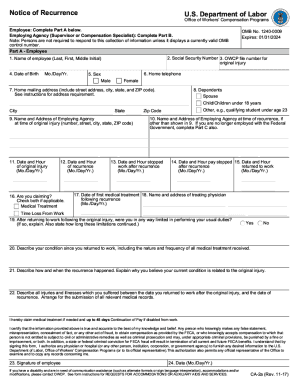
The DoL CA-2a form is an essential document for employees seeking to report an illness or injury that they believe is work-related. This guide will provide you with clear, step-by-step instructions on how to complete the form online, ensuring an efficient and accurate submission process.
Follow the steps to successfully complete your DoL CA-2a form online.
- Press the ‘Get Form’ button to access the DoL CA-2a form and open it for editing.
- Begin by filling out your personal information, including your name, address, and contact details. Ensure that all information is accurate to avoid delays in processing your claim.
- Provide information about your employment, including your job title, department, and the name of your employer. Clearly indicate the date and time of the incident or when symptoms began.
- Describe the incident or illness in detail. Include what happened, where it occurred, and how it is related to your work duties. Be as specific and concise as possible.
- Complete the information regarding medical treatment, if applicable. Include any healthcare providers’ details, dates of treatment, and the nature of your injuries or illness.
- Review the completed form for accuracy. Ensure that all fields are filled out and that the information provided is correct.
- After completing the form, you can save your changes, download the document, print it for your records, or share it electronically as required.
Start filling out your DoL CA-2a form online today to ensure your claim is processed smoothly.
Get form
Experience a faster way to fill out and sign forms on the web. Access the most extensive library of templates available.
Related links form
Most work-related medical conditions fall into two categories: (1) traumatic injury (Form CA-1, Federal Employee's Notice of Traumatic Injury and Claim for Continuation of Pay/Compensation), and (2) occupational disease (Form CA-2, Notice of Occupational Disease and Claim for Compensation).
Get This Form Now!
Use professional pre-built templates to fill in and sign documents online faster. Get access to thousands of forms.