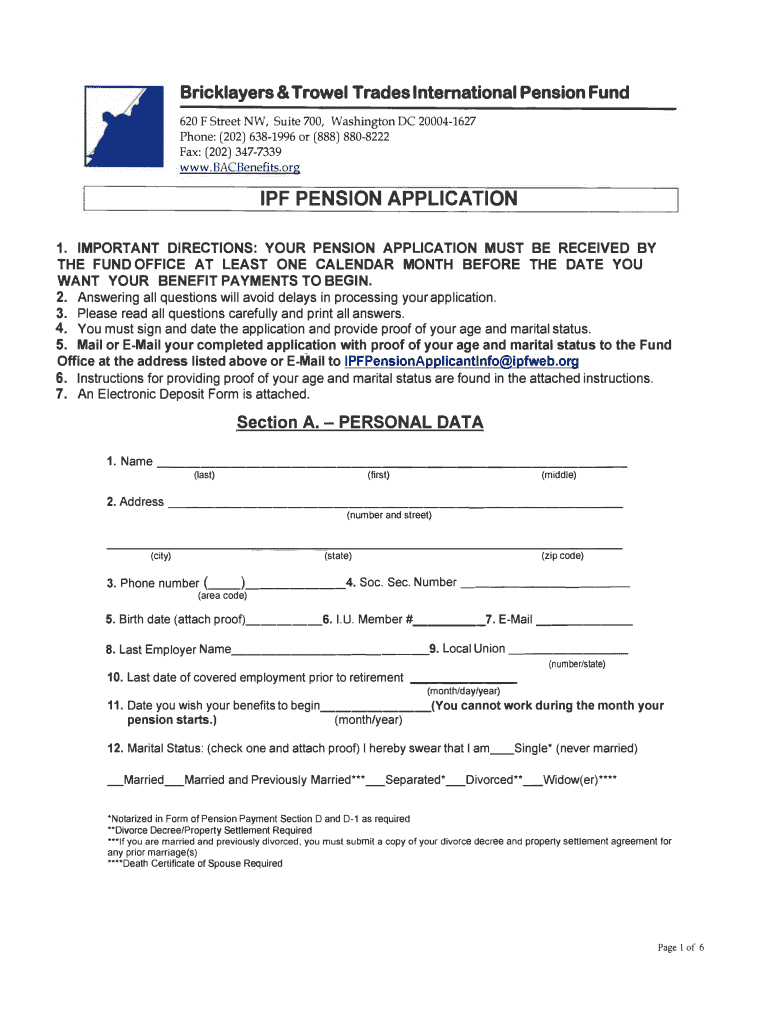
Bricklayers & Trowel Trades International Pension Fund 620 F Street NW, Suite 700, Washington DC 200041627 Phone: (202) 6381996 or (888) 8808222 Fax: (202) 3477339 www.BACBenefits.orgIPF PENSION.
Loading

Open form follow the instructions

Easily sign the form with your finger

Send filled & signed form or save
How to fill out the BAC Benefits IPF Pension Application online
This guide provides clear and detailed instructions on completing the BAC Benefits IPF Pension Application online. Following these steps will help ensure your application is accurately filled out, minimizing potential delays in processing.
Follow the steps to successfully complete your application.
- Click the ‘Get Form’ button to obtain the form and open it in your preferred online editor.
- Fill out Section A - Personal Data. Provide your name, address, phone number, social security number, birth date, and email. Ensure all information is accurate and complete to avoid delays.
- In Section B - Employment History, enter your international pension fund participation date, the number of hours worked in the three calendar years before your participation date, and details about any years worked less than 750 hours.
- Complete Section C - Type of Pension. Select the type of pension you wish to receive and provide the last date of any employment. Make sure to review your eligibility based on your age.
- Proceed to Section D - Form of Pension Payment. Choose your preferred pension payment option, ensuring that all necessary signatures are provided as per the instructions, especially if you are married.
- In Section E - Beneficiary Designation, fill in the details of your chosen beneficiary, including their name, social security number, and relationship to you.
- Review Section F - Covered Employment Verification, ensuring that you understand the rules regarding noncovered masonry employment and sign at the end of the section.
- Complete Section G - Certification, verifying that all your statements are true and that you understand the implications of false information.
- If applicable, fill out Section H - Direct Deposit Form. Include your bank details for direct deposit, and consider attaching a voided check for accuracy.
- Lastly, ensure you have provided proof of your age and marital status as instructed in Section I. Collect all necessary documents and proof, and prepare to submit your completed application.
- Once all sections are filled out and reviewed, save your changes. You can then download, print, or share your completed form as needed.
Take the next step towards securing your benefits by completing the BAC Benefits IPF Pension Application online today.
Experience a faster way to fill out and sign forms on the web. Access the most extensive library of templates available.
Related content
BAC 7:161 ... You may obtain any form mentioned in this SPD from the Fund Office (i.e....
UT SELECT Medical Claim Form, Employee Benefits, Sep 1st, 2013, UT SELECT ... BAC By-Laws...
Form CMS-2552-10, which contains instructions for the completion of the new cost ... Part...
Use professional pre-built templates to fill in and sign documents online faster. Get access to thousands of forms.
If you believe that this page should be taken down, please follow our DMCA take down process here.