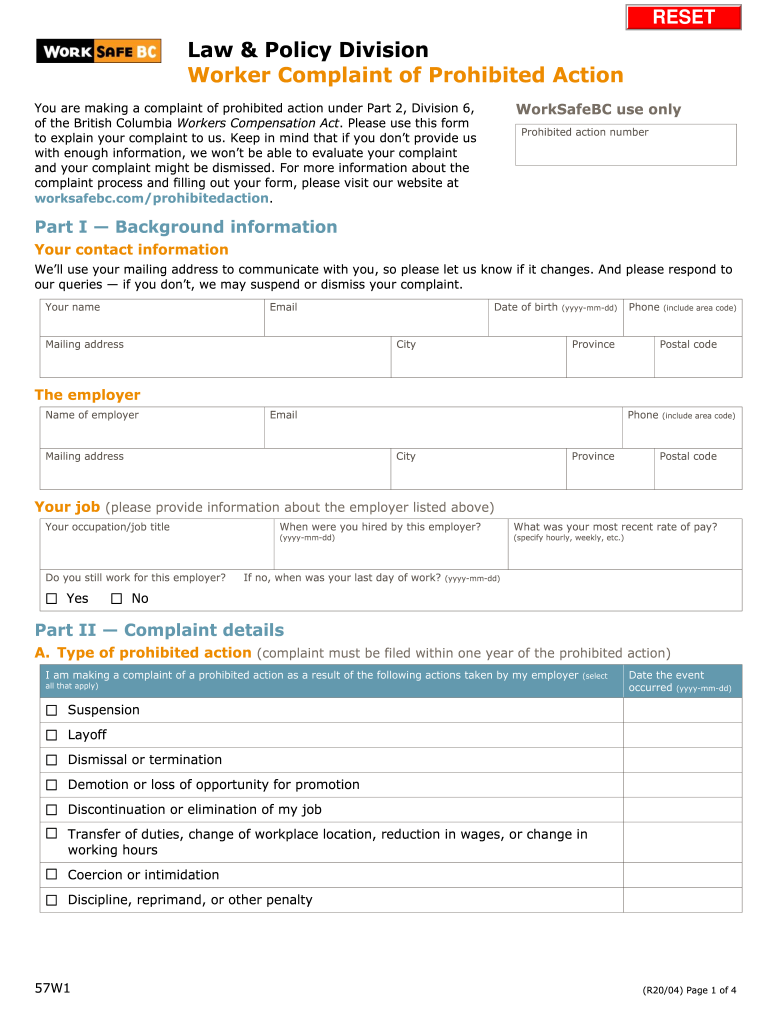
RESETLaw & Policy Division Worker Complaint of Prohibited Action WorkSafeBC use onlyYou are making a complaint of prohibited action under Part 2, Division 6, of the British Columbia Workers Compensation.
Loading

Open form follow the instructions

Easily sign the form with your finger

Send filled & signed form or save
How to fill out the Canada WorkSafe BC 57W1 online
Filing a complaint of prohibited action under the British Columbia Workers Compensation Act can be a crucial step in addressing workplace issues. This guide provides clear, step-by-step instructions for filling out the Canada WorkSafe BC 57W1 form online, ensuring you complete it accurately and effectively.
Follow the steps to fill out the Canada WorkSafe BC 57W1 form online.
- Use the 'Get Form' button to access the Canada WorkSafe BC 57W1 form and open it in your preferred online editor.
- Complete Part I — Background Information. Fill in your personal contact details, including your name, email, mailing address, date of birth, city, province, postal code, and phone number. Make sure that your contact information is up-to-date, as it will be used for communication regarding your complaint.
- Provide the employer's information. Include their name, email, mailing address, phone number, city, province, and postal code. This is necessary as the employer will be contacted during the complaint evaluation process.
- Specify your job details. Indicate your occupation or job title, whether you currently work for the employer, the date you were hired, and your most recent rate of pay.
- In Part II — Complaint Details, select all types of prohibited actions taken by your employer. You must also provide the corresponding date the events occurred. This includes actions like suspension, layoff, dismissal, demotion, and others.
- If your complaint involves failure to pay wages, indicate what specific wages were not paid. You will have the option to select all applicable reasons related to your complaint.
- Describe any workplace health and safety issues you raised, along with details about when and to whom you addressed these issues.
- Provide specifics about the employer's actions that prompted you to file this complaint, including any comments or incidents that contributed to your decision.
- Clearly outline what resolution you are seeking from WorkSafeBC, such as reinstatement or compensation for lost wages.
- Complete any additional sections as applicable, such as related compensation claims or other proceedings like grievances with your union.
- Review and sign the consent section, authorizing WorkSafeBC to inquire into your case. Ensure your signature and the date are included.
- Once all fields are filled correctly, you can save changes. After that, download, print, or share the form as needed before submitting it to WorkSafeBC by the prescribed methods.
Take action now and complete your complaint form online to ensure your voice is heard.
Experience a faster way to fill out and sign forms on the web. Access the most extensive library of templates available.
Related content
number and ^bc al!- ciear. Sweating palms and ... i"> 2-57W1. SERVICE ... wcb*. n You'll...
Use professional pre-built templates to fill in and sign documents online faster. Get access to thousands of forms.
If you believe that this page should be taken down, please follow our DMCA take down process here.
This form is available in several versions. Select the version you need from the drop-down list below.