Loading
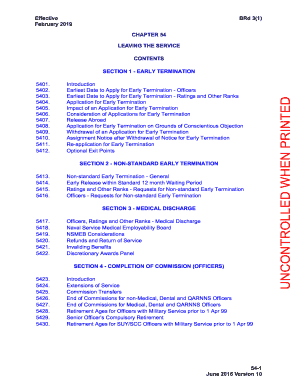
Get Uk Royal Navy Chapter 54 2019-2026
How it works
-

Open form follow the instructions
-

Easily sign the form with your finger
-

Send filled & signed form or save
How to fill out the UK Royal Navy Chapter 54 online
This guide provides a clear and supportive overview of how to fill out the UK Royal Navy Chapter 54 form online. It is tailored for users of all experience levels, ensuring that everyone can navigate the process effectively.
Follow the steps to complete the UK Royal Navy Chapter 54 form online.
- Press the ‘Get Form’ button to obtain the Chapter 54 form and open it for editing.
- Read the introduction section of the form carefully to understand the criteria and requirements for leaving the service. This section outlines the earliest dates to apply and any special considerations.
- Complete the personal details required in the initial sections, such as your name, service number, and contact information. Ensure that all information is accurate and updated.
- Navigate through the sections relevant to your application type (e.g., early termination, resignation, medical discharge) and fill out each applicable area. Pay attention to the specifics of your circumstances.
- If applicable, include any documents that support your application, such as medical reports or letters of recommendation, as specified in the guidance notes.
- Review your completed form thoroughly to ensure that all fields are filled out correctly and that you haven’t missed any required documentation.
- Once satisfied with your submission, save the changes, and select the option to download or print the form for your records.
- Share the completed form as directed, ensuring you submit it through the appropriate channels as outlined in the final instructions.
Complete your UK Royal Navy Chapter 54 form online today to ensure a smooth transition out of service.
Full Commission Stage (FCS). Full Commission Stage (FCS) further extends an officer's career to a retirement age of 55. a.