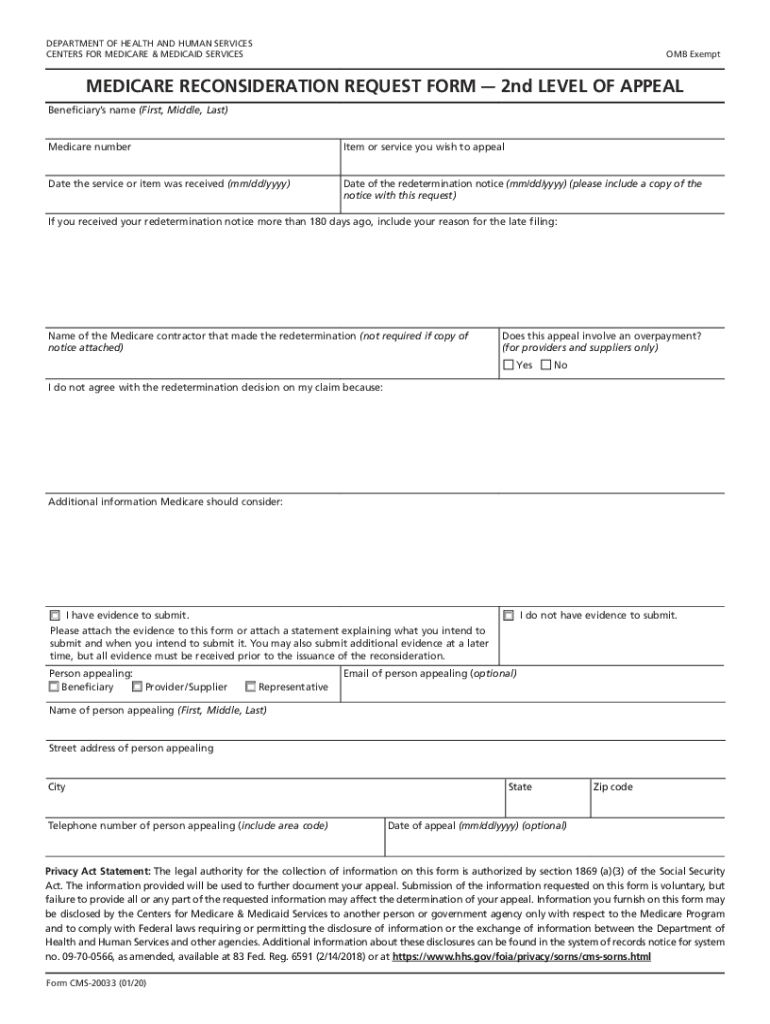
DEPARTMENT OF HEALTH AND HUMAN SERVICES CENTERS FOR MEDICARE & MEDICAID SERVICESOMB ExemptMEDICARE RECONSIDERATION REQUEST FORM 2nd LEVEL OF APPEAL Beneficiarys name (First, Middle, Last) Medicare.
Loading

Open form follow the instructions

Easily sign the form with your finger

Send filled & signed form or save
How to fill out the HHS CMS-20033 online
Filling out the HHS CMS-20033 form, also known as the Medicare reconsideration request form, can be a straightforward process when you know what to do. This guide will walk you through each section of the form to ensure that your appeal is submitted correctly and effectively.
Follow the steps to complete the HHS CMS-20033 online.
- Click ‘Get Form’ button to obtain the form and open it in the editor.
- Begin by entering the beneficiary's name in the designated fields. Make sure to include first, middle, and last names accurately.
- Provide the Medicare number associated with the beneficiary.
- Indicate the item or service for which you are filing the appeal.
- Enter the date the service or item was received using the format mm/dd/yyyy.
- Input the date of the redetermination notice, also using the mm/dd/yyyy format. If you have a copy of this notice, attach it to your request.
- If the redetermination notice was received more than 180 days ago, include your reason for the late filing.
- Specify the name of the Medicare contractor that made the redetermination, unless you are attaching a copy of the notice.
- Indicate if this appeal involves an overpayment. Select 'Yes' or 'No' based on your situation.
- Clearly state your disagreement with the redetermination decision in the provided field.
- Add any additional information that you believe Medicare should consider regarding your appeal.
- Indicate whether you have evidence to submit by selecting the appropriate option.
- If you have evidence, attach it to the form or provide a statement explaining what you intend to submit and when.
- Fill in the details of the person appealing, including their name, email (optional), address, city, state, zip code, and telephone number.
- Optionally, include the date of appeal in mm/dd/yyyy format.
- Finally, review all completed fields for accuracy, then save changes, download, print, or share the form as needed.
Start your online submission of the HHS CMS-20033 form today to ensure your appeal is processed!
Experience a faster way to fill out and sign forms on the web. Access the most extensive library of templates available.
Related content
CMS 20033. Form #. CMS 20033. Form Title. MEDICARE RECONSIDERATION REQUEST FORM. Revision...
Contact: Mark A. Horney -- MHorney@cms.hhs.gov Revised: February 04, 2004 ... 20019 20021...
Use professional pre-built templates to fill in and sign documents online faster. Get access to thousands of forms.
If you believe that this page should be taken down, please follow our DMCA take down process here.