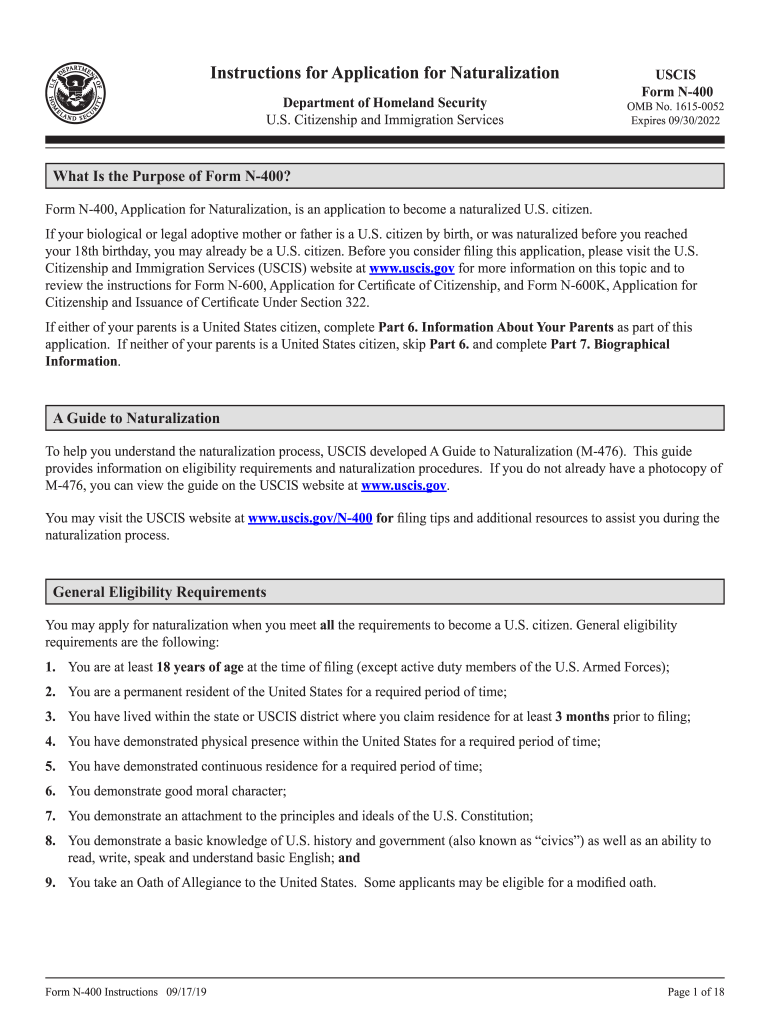
Instructions for Application for Naturalization Department of Homeland Security U.S. Citizenship and Immigration ServicesUSCIS Form N400OMB No. 16150052 Expires 09/30/2022What Is the Purpose of Form.
Loading

Open form follow the instructions

Easily sign the form with your finger

Send filled & signed form or save
How to fill out the Apply For U.S. Citizenship, FileRight For Form N-400 online
This guide provides comprehensive instructions for completing the Form N-400, the application for naturalization, to help individuals navigate the online filing process. Each section of the form is broken down to ensure clarity and understanding, making the application process easier for all users.
Follow the steps to successfully complete your application.
- Press the ‘Get Form’ button to access the form and open it in your selected editor.
- In Part 1, indicate your eligibility for naturalization by selecting the appropriate box. Ensure only one box is checked to avoid delays.
- Provide your current legal name in Part 2, Item Number 1. Use the name from your birth certificate unless it has changed due to legal action.
- Fill out Item Number 2 with the name exactly as it appears on your Permanent Resident Card, or type ‘N/A’ if you do not have one.
- In Item Number 3, include any other names you have used since birth, such as nicknames or aliases. If more space is needed, attach a separate sheet.
- Continue through items providing your birth date, country of birth, and citizenship information. Pay attention to date formats to ensure they are correct.
- In Part 5, list every address where you have lived in the last five years. This includes all previous addresses, both in the U.S. and abroad.
- complete Part 7 by detailing your employment history over the past five years. List all relevant positions, and if self-employed or unemployed, note that accordingly.
- Carefully answer all questions in Part 12 regarding your background. Provide explanations on a separate sheet if necessary.
- Once all parts are completed, ensure that you sign the application in Part 13. Remember, typed or stamped signatures are not acceptable.
- After reviewing your application for completeness, you can save, download, print, or share the form as needed.
Complete your documents online to streamline your application process.
Experience a faster way to fill out and sign forms on the web. Access the most extensive library of templates available.
Related content
for U.S. citizenship with Form N-400, Application for Naturalization. How does FileRight...
161 Creating and distributing PDF forms Filling in PDF forms . ... 275 Convert or export...
Get answers to your most pressing questions about US Legal Forms API.
How long does it take to become a US citizen with a green card?
Who Qualifies For Citizenship? All green card holders, as long as they meet key conditions, can apply for U.S. citizenship after five years (known as the five-year rule ) but those with a U.S. spouse and a green card through marriage can apply after only three years (known as the three-year rule ).
How much does 2020 Citizenship cost?
What are the Citizenship by Naturalization fees? As of 10/14/2020, $725 is the current fee to become a U.S. citizen. This total includes a $640 fee for processing the Form N-400 and an $85 biometric services fee.
Can I apply for US citizenship if I am unemployed?
For someone who has been a Lawful Permanent Resident for five years, being unemployed has no bearing upon eligibility to apply to become a naturalized citizen (and an application for naturalization may be filed as early as 90 days before reaching the five-year mark).
How long does citizenship application take?
The national average processing time for naturalization (citizenship) applications is a little over 8 months, as of May 31, 2020. But that's just the application processing wait time (see Understanding USCIS Processing Times below). The overall naturalization process involves more steps and a longer timeline.
How long does it take to become a US citizen in 2019?
From getting a green card to taking the U.S. citizenship test and interview, it can take quite a long time to become a U.S. citizen. Currently, it takes about 6 months to a year to get U.S. Citizenship from the time you apply. The citizenship process actually starts when you first get your US green card.
How long does it take to become a citizen after filing N-400?
HOW LONG DOES IT TAKE TO BECOME A U.S. CITIZEN? After filing Form N-400, Application for Naturalization, and related forms, your N-400 processing time can take anywhere from 8 to 12 months. This is an approximation. It may be shorter for some and longer for others.
How long does it take to get US citizenship 2020?
The national average processing time for naturalization (citizenship) applications is a little over 8 months, as of May 31, 2020.
How long does it take to get citizenship after filing N 600?
After filing Form N-600, Application for Certificate of Citizenship, your N-600 processing time can take anywhere from 9 to 14 months. This is an approximation. It may be shorter for some and longer for others. In some cases, USCIS will make a request for additional information or even schedule an additional interview.
How long does it take to become a US citizen in 2020?
The average processing time for citizenship (naturalization) applications is 8 months as of May 31, 2020. However, that's just how long it takes USCIS to process Form N-400. The entire naturalization process has several steps and takes an average of 15 months.
What happens after you submit N-400?
(Approximately 2-3 weeks after filing) If your form N-400 has been filed correctly, USCIS will respond by mailing you a notice that confirms receipt of your application. The receipt notice is formally known as Form I-797C, Notice of Action.
Use professional pre-built templates to fill in and sign documents online faster. Get access to thousands of forms.
If you believe that this page should be taken down, please follow our DMCA take down process here.