Loading
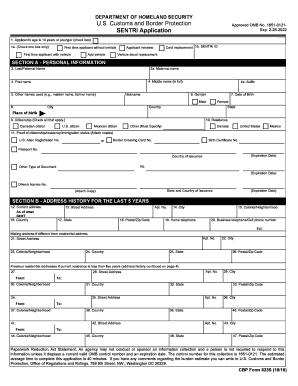
Get Cbp 823s 2010
How it works
-

Open form follow the instructions
-

Easily sign the form with your finger
-

Send filled & signed form or save
How to fill out the CBP 823S online
Filling out the CBP 823S form is an essential step for individuals applying for the SENTRI program. This guide provides clear, step-by-step instructions to ensure that users can complete the form accurately and efficiently online.
Follow the steps to fill out the CBP 823S online.
- Click the 'Get Form' button to obtain the CBP 823S form and open it in your browser.
- Begin filling out Section A - Personal Information. Provide your last name, first name, and any other names you have used, along with your date of birth and gender.
- In Section A, include your citizenship status by checking all applicable boxes. Follow this by entering your current address and providing proof of citizenship or residency by attaching the necessary documentation.
- Proceed to Section B - Address History for the last 5 years. Enter your current address details followed by your previous addresses if applicable.
- Move on to Section C - Employment History for the last 5 years. Fill in details about your current and previous employers, including their names and addresses.
- In Section D - Additional Information, answer the questions about your immigration history and provide details if your answer is 'Yes'.
- Complete Section E - United States Contact Information, ensuring to include a contact's full name, address, and other necessary details.
- Fill out Section F - Vehicle Data if applicable. Provide information regarding any vehicle you wish to enroll in the SENTRI program.
- In Section G - Fee Payment, indicate your payment method, fill out the necessary credit card information or mention your money order, then confirm the payment amount.
- Finally, in Section H - Certification, review all information for accuracy, sign and date the form. Ensure you have all attachments before submitting.
Complete your CBP 823S form online today for a smooth application process.
Get form
Experience a faster way to fill out and sign forms on the web. Access the most extensive library of templates available.
Pass the GS-9 waiver entrance exam. Be a U.S. citizen who is under 37 years of age. Have resided in the U.S. for three years before applying. Possess a valid driver's license. Pass a medical exam, drug test, and security background check. Submit to and pass two physical fitness tests (PFTs)
Get This Form Now!
Use professional pre-built templates to fill in and sign documents online faster. Get access to thousands of forms.