Loading

Open form follow the instructions

Easily sign the form with your finger

Send filled & signed form or save
How to fill out the Tarion Year-End Form online
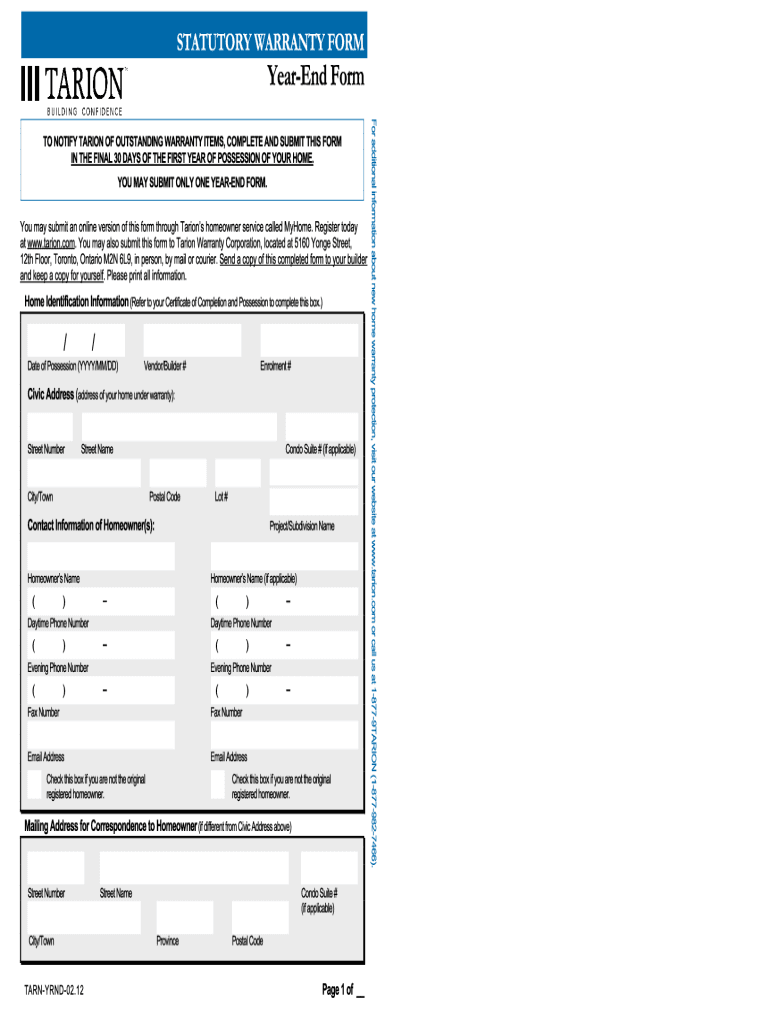
The Tarion Year-End Form is an essential document that assists homeowners in reporting any issues with their new home. This guide provides comprehensive steps to ensure you successfully complete the form online, addressing each component with clarity and precision.
Follow the steps to fill out the Tarion Year-End Form effectively.
- Click the ‘Get Form’ button to access the Tarion Year-End Form and open it for editing.
- Begin by filling out your personal information, such as your name, contact details, and address. Ensure that all information is accurate, as it will be used for correspondence.
- Proceed to the section for identifying your new home. Enter the address and any relevant identification numbers associated with the property. Accurate details will help streamline the processing of your submission.
- In the subsequent area, list any issues you have encountered during your home’s first year. Provide a detailed description of each problem, along with any supporting documentation or photographs, if applicable.
- Review all entries to ensure the information is complete and accurate. Check for any typographical errors that could delay processing.
- Once satisfied with the information provided, you can save your changes, download the completed form, print a physical copy, or share it with the relevant parties.
Start completing the Tarion Year-End Form online today to ensure a smooth submission process.
Experience a faster way to fill out and sign forms on the web. Access the most extensive library of templates available.
Related content
The first of our agreements, entered into in February 2003, grants exploration ... The...
Use professional pre-built templates to fill in and sign documents online faster. Get access to thousands of forms.
If you believe that this page should be taken down, please follow our DMCA take down process here.