Loading
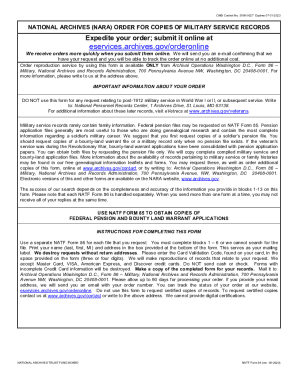
Get Nara Natf 86 2020-2026
How it works
-

Open form follow the instructions
-

Easily sign the form with your finger
-

Send filled & signed form or save
How to fill out the NARA NATF 86 online
Filling out the NARA NATF 86 form is an essential step in obtaining copies of military service records. This guide provides clear and comprehensive instructions to assist you in completing the form accurately when submitting it online.
Follow the steps to complete the NARA NATF 86 form online.
- Click the ‘Get Form’ button to access the NARA NATF 86 form and open it in your editor.
- Complete the reference number by entering the date you fill out the form in the MMDDYY format and include the request number if you are submitting multiple forms.
- In section A, provide the required minimum identification of the veteran. Fill in the veteran's last, first, and middle names in the first field.
- Indicate the state in which the veteran served. This helps to narrow down the search for their military records.
- Specify the war in which the veteran served or the dates between which they served. This information is critical for accurate retrieval of records.
- If applicable, specify whether the veteran's service was during the Civil War and indicate if they served in the Union or Confederate forces.
- Provide additional information if known. This includes the name of the unit, the arm in which they served, their rank, date of birth, and place of birth.
- Input the date of death and place of death, as these details can assist in identifying the records related to the veteran.
- Choose how you would like to receive your completed order: paper copies, on a CD/DVD, or via electronic transfer. If you select electronic transfer, provide your email address.
- Complete the credit card information section to ensure the processing of your request. This includes the type of credit card, card number, expiration date, and card validation code.
- Print your name and address for mailing purposes in the designated box to ensure you receive your request.
- After reviewing the information for accuracy, save changes and prepare to submit the form as instructed.
Now that you have the guidance you need, complete your NARA NATF 86 form online today.