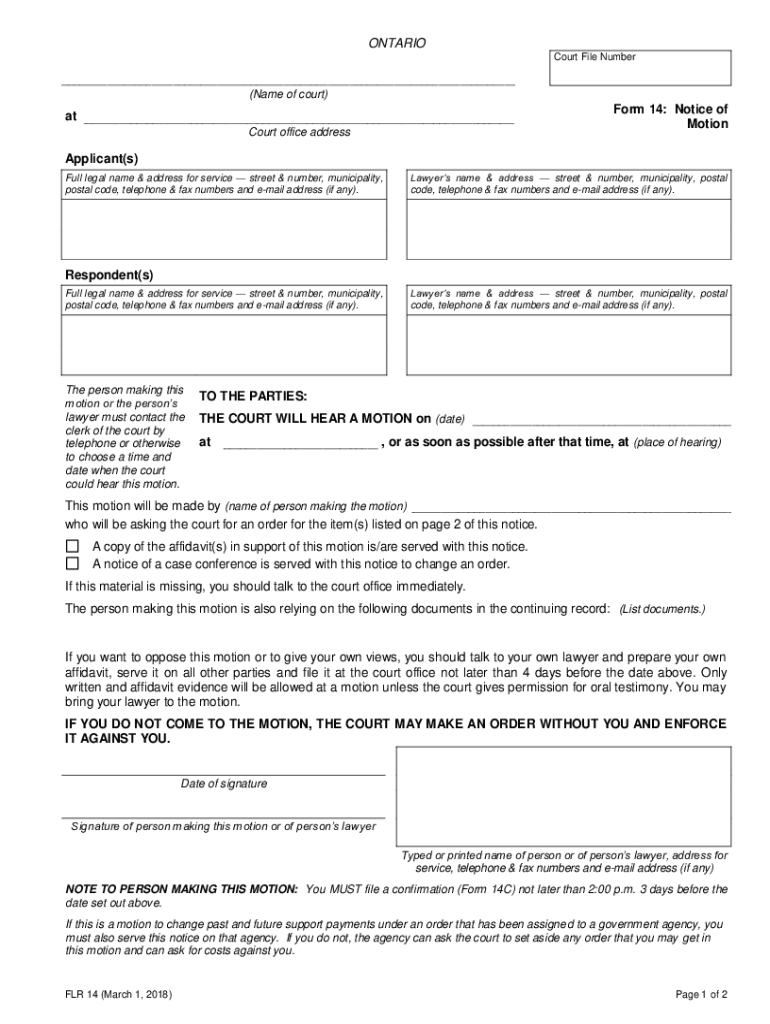
ONTARIO Court File Number Name of court Form 14 Notice of Motion at Court office address Applicant s Full legal name address for service street number municipality postal code telephone fax numbers and e-mail address if any. FLR 14 15 juin 2007 Suite la page suivante English on reverse Form 14 Notice of Motion page 2 State the order or orders requested on this motion. Formule 14 Avis de motion Indiquez l ordonnance ou les ordonnances que vous demandez au moyen de la motion.. Lawyer s name address street number municipality postal code telephone fax numbers and e-mail address if any. Respondent s The person making this motion or the person s lawyer must contact the clerk of the court by telephone or otherwise to choose a time and date when the court could hear this motion* TO THE PARTIES THE COURT WILL HEAR A MOTION on date a*m*/p*m* or as soon as possible after that time at place of hearing This motion will be made by name of person making the motion who will be asking the court for an....
Loading

Open form follow the instructions

Easily sign the form with your finger

Send filled & signed form or save
How to fill out the Ontario Form 14 online
Filling out the Ontario Form 14, also known as the Notice of Motion, is an essential step in initiating a motion in court. This guide provides clear, step-by-step instructions to help you complete the form accurately online.
Follow the steps to complete the Ontario Form 14 online effectively.
- Click 'Get Form' button to obtain the form and open it in the editor. This step allows you to access the necessary document to start your application.
- In the 'Court File Number' section, enter the specific file number associated with your case. This uniquely identifies your motion in the court system.
- In the 'Name of court' field, specify the court where you are filing the motion. Ensure you have the correct court name to avoid delays.
- Fill in the 'Court office address' section. Include the full address of the court office for accurate communication and processing.
- In the 'Applicant(s)' section, provide your full legal name and address for service, including street number, municipality, postal code, telephone numbers, fax numbers, and email address, if applicable.
- If you have legal representation, enter your lawyer’s name and contact information in the specified fields.
- In the 'Respondent(s)' section, similarly fill out the full legal name and address for service of the person or entity you are opposing, along with their contact details.
- Indicate the date and time for the court to hear your motion. Confirm this with the court clerk ahead of time.
- Provide the name of the person making the motion and any supporting documents required for your case on the second page of the form.
- Complete the 'Date of signature' and sign the form to validate it. Make sure to print your name and provide your contact information as required.
- Finally, save your changes, download a copy of the completed form, and print it for your records. You may also share it electronically if needed.
Start filling out your Ontario Form 14 online today to ensure your motion is filed correctly.
Experience a faster way to fill out and sign forms on the web. Access the most extensive library of templates available.
Related content
Form Number Title PDF DOC WPD. ... 2-D, Consent of Child Over 14 (Private Placement), PDF...
Oct 1, 2003 - Meteorological Service of Canada, Toronto, Ontario, Canada. (Manuscript...
ONTARIO. Court File Number. Form 14B: Motion. Form. (Name of court) at. Court office...
Use professional pre-built templates to fill in and sign documents online faster. Get access to thousands of forms.
If you believe that this page should be taken down, please follow our DMCA take down process here.