Loading
Get The Information Being Requested Is For A Claims-made ...
How it works
-

Open form follow the instructions
-

Easily sign the form with your finger
-

Send filled & signed form or save
How to fill out the information being requested for a claims-made policy online
This guide provides essential steps for users to effectively complete the information requested for a claims-made policy insurance application. Whether you are familiar with legal documents or new to the process, this guide will assist you in navigating the online application with clarity.
Follow the steps to complete the application accurately.
- Press the ‘Get Form’ button to access the form and open it in your chosen online document editor.
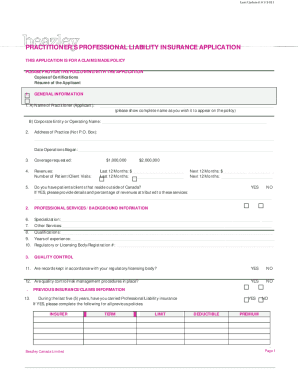
- Begin by filling out the general information section. Include your complete name as you wish it to appear on the policy, and provide the name of any corporate entity or operating name associated with your practice.
- Enter the address of your practice, ensuring it is not a P.O. Box. Also, indicate the date your operations began.
- Select the coverage amount you are applying for, choosing either $1,000,000 or $2,000,000.
- Record the number of patient or client visits and provide information on whether you have patients or clients residing outside of Canada, including any relevant percentages of revenue.
- In the professional services/background information section, provide details about your specialization, other services offered, qualifications, years of experience, and registration number with any regulatory body.
- Complete the quality control section by inputting financial figures for the last 12 months and projections for the next 12 months. Indicate whether you maintain records in accordance with your regulatory body and if quality control procedures are in place.
- Address the previous insurance/claims information section. Indicate if you have previously held Professional Liability insurance. If so, provide details on previous policies, including insurer, term, limit, deductible, and premium.
- Respond to questions regarding any claims made against you over the past five years, awareness of any circumstances that may lead to a claim, and any disciplinary actions by regulatory bodies.
- Review your entries carefully. Ensure all information is accurate and complete, then proceed to sign the application, print your name, and indicate your position. Finally, save your changes, download the document, and print or share as necessary.
Complete your claims-made insurance application online today to ensure your practice is protected.
An occurrence policy provides coverage for alleged incidents (injuries) that happened during the policy year regardless of when the claim is reported to the carrier. ... The renewed claims made policy covers claims that come in during the policy year for incidents that occurred on or after the retroactive date.