Loading
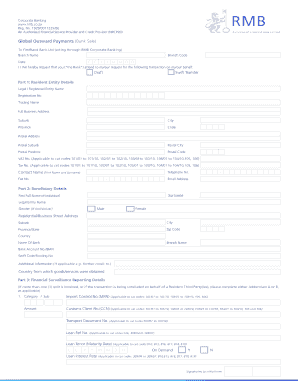
Get Za Rmb Nrcp20
How it works
-

Open form follow the instructions
-

Easily sign the form with your finger
-

Send filled & signed form or save
How to fill out the ZA RMB NRCP20 online
The ZA RMB NRCP20 form is crucial for processing various banking transactions on behalf of users. This guide provides clear, step-by-step instructions to help you complete the form accurately and efficiently.
Follow the steps to successfully fill out the ZA RMB NRCP20.
- Click ‘Get Form’ button to obtain the ZA RMB NRCP20 form and open it in your preferred document editor.
- Begin by filling in the details in Part 1: Resident Entity Details. Complete the legal or registered entity name, registration number, trading name, and contact information accurately to ensure smooth processing.
- Proceed to fill in Part 2: Beneficiary Details. Enter the beneficiary's surname, first full name, and choose the correct gender if it is an individual. Additionally, provide the beneficiary's residential or business address and banking information.
- In Part 3: Financial Surveillance Reporting Details, provide any applicable financial surveillance information. If multiple splits are involved, ensure to complete the required addendums accurately.
- Move to Part 4: Settlement/Disbursement Instructions. Specify the method of payment by selecting the appropriate options and provide account information for debiting charges.
- In Part 5: Declaration and Signature, read and confirm the declaration by signing the form on behalf of your entity. Ensure all signatories are authorized to act on behalf of the entity.
- Lastly, review all the information entered for accuracy. Once confirmed, you can save changes, download, print, or share the completed form as needed.
Complete your ZA RMB NRCP20 form online efficiently and ensure your transactions are processed smoothly.