Loading
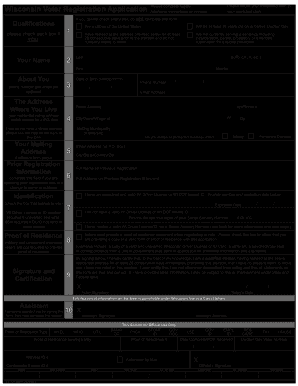
Get Wi El-131 2020-2026
How it works
-

Open form follow the instructions
-

Easily sign the form with your finger
-

Send filled & signed form or save
How to fill out the WI EL-131 online
Filling out the Wisconsin Voter Registration Application (WI EL-131) online can streamline your registration process and ensure your voice is heard in upcoming elections. This guide offers a step-by-step approach to complete the form accurately and efficiently.
Follow the steps to successfully complete your registration application.
- Click 'Get Form' button to access the WI EL-131 online and open it in your editor.
- Check each qualification box if applicable. Ensure you meet the eligibility criteria, including citizenship, age, residency requirements, and absence of felony incarceration.
- Provide your full name as it appears on your valid identification, including any suffixes like Jr. or II. Enter your date of birth in the specified format MM/DD/YYYY.
- Fill in your street address, including apartment or room number if necessary. Make sure not to use a P.O. Box as a residential address. Add your mailing address if different.
- If you have previously registered to vote under a different name or address, provide that information to update your registration.
- Indicate if you are a military or permanent overseas voter. Complete the required fields based on your situation.
- Provide your Wisconsin Driver License number or ID number if you have one; otherwise, enter the last four digits of your Social Security Number. Check the appropriate box if neither is applicable.
- Confirm that you are providing proof of residence with your application. Acceptable documents include a valid ID, utility bill, or government correspondence.
- Sign and date the application to certify that all provided information is accurate and complete. If someone assisted you in completing the form, they must also sign in the designated area.
- Review all entries for accuracy, save your changes, and choose an option to download, print, or share the completed form with your municipal clerk.
Complete your voter registration online today to ensure your participation in future elections.
When applying for an original ID card you must visit a DMV customer service center, complete a Wisconsin Identification Card (ID) application MV3004 and provide: Proof of name and date of birth, for example, a certified U.S. birth certificate, valid passport or certificate of naturalization.