Loading
Get Wsu Creo Intake Sheet 2019-2026
How it works
-

Open form follow the instructions
-

Easily sign the form with your finger
-

Send filled & signed form or save
How to fill out the WSU CREO Intake Sheet online
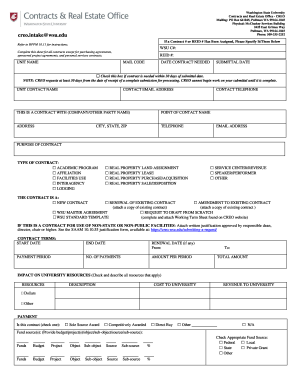
This guide provides a clear and supportive framework for users looking to fill out the WSU CREO Intake Sheet online. By following these steps, you can ensure that your intake sheet is completed accurately and submitted efficiently.
Follow the steps to successfully complete the intake sheet.
- Click the ‘Get Form’ button to obtain the form and open it in your editor.
- Begin by entering any assigned Contract # or REID # in the designated fields at the top of the sheet. If none have been assigned, you may leave these fields blank.
- Provide your unit name, along with the mailing code and the date you need the contract. If the contract is needed within 30 days from the submission date, check the appropriate box.
- Fill out your contact information by including your name, email address, and telephone number to ensure that CREO can reach you if necessary.
- Specify the name of the company or other party involved in the contract, including their point of contact name, address, telephone number, and email address.
- Clearly state the purpose of the contract in the designated section to provide context for your request.
- Select the type of contract from the available options by checking the relevant box. Make sure to include any details if necessary.
- Indicate whether it is a new contract, a renewal, or an amendment to an existing contract. If applicable, attach the existing contract for reference.
- Fill out the contract terms section by providing start and end dates, payment period, renewal date, number of payments, amount per period, and total amount.
- Assess and describe the impact on university resources by checking relevant resources and describing any associated costs and revenue to the university.
- Specify the payment method for the contract by selecting the appropriate option and ensuring compliance with university policies.
- Complete the insurance section by indicating whether a Certificate of Insurance is required, and if so, follow up with the necessary documentation.
- Provide details for any Real Property agreements, including the university function, preferred location, description of the area, and management program requirements.
- Finally, obtain necessary approvals by having the appropriate authorities review and sign the document, confirming their understanding and satisfaction with the contract.
- Once all sections are completed, save your changes, download a copy for your records, or share the form as needed.
Complete your WSU CREO Intake Sheet online today to ensure a seamless contract process.