Loading
Get Gsa 1079 1974-2026
How it works
-

Open form follow the instructions
-

Easily sign the form with your finger
-

Send filled & signed form or save
How to fill out the GSA 1079 online
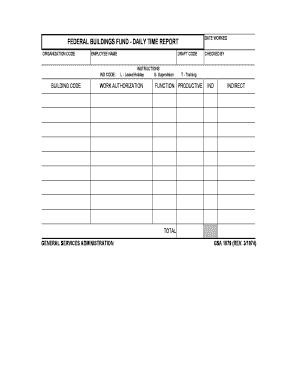
The GSA 1079 is a vital document used for reporting daily time worked within federal buildings. Filling out this form accurately is crucial for proper time management and payroll processing.
Follow the steps to fill out the GSA 1079 online.
- Press the ‘Get Form’ button to access the GSA 1079, allowing you to open it in your preferred editing tool.
- Begin by entering your organization code in the designated field. Ensure that you have the correct code to avoid any administrative issues.
- Fill in your full name under the ‘Employee Name’ section. This will ensure that your time worked is accurately attributed to you.
- Input the ‘Ind Code’ associated with your position. This code should be provided by your supervisor or human resources department.
- Enter the appropriate building code in the designated area, which corresponds to the location where you worked.
- Assure that you fill in the draft code if applicable, as this information could be necessary for internal tracking.
- Indicate the type of work authorization in the respective section. Choose from the options L (Leave/Holiday), S (Supervision), or T (Training) based on your worked hours.
- Once you have entered your work hours, specify if these hours are productive or indirect. This categorization is essential for accurate time reporting.
- Finally, review all entries for accuracy. Once confirmed, you can save your changes, download the form for your records, print it for submission, or share it as required.
Complete your GSA 1079 online today for efficient time management and reporting.
Related links form
Generally, you will need to be in business for two years (unless you go through the Startup Springboard Program), sell your intended products and services commercially first, demonstrate past performance, and showcase your financial records among other requirements.