Loading
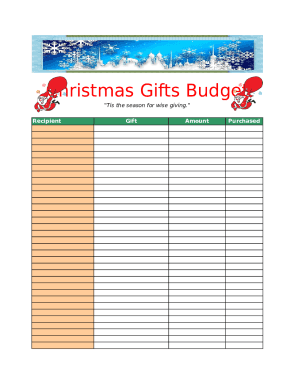
Get Holiday Christmas Budget Excel
How it works
-

Open form follow the instructions
-

Easily sign the form with your finger
-

Send filled & signed form or save
How to fill out the Holiday Christmas Budget Excel online
Managing your holiday gifts can be streamlined with the Holiday Christmas Budget Excel. This guide provides concise steps to effectively use the form, ensuring thoughtful planning for your holiday expenses.
Follow the steps to effectively complete your budget form.
- Click ‘Get Form’ button to access the Holiday Christmas Budget Excel and open it in your preferred online editor.
- Begin filling out the 'Recipient' field by entering the name of the person you plan to gift. This helps keep your budget organized.
- Next, fill in the 'Amount' column with the estimated cost of each gift. Be realistic with your budget to avoid overspending.
- At the bottom of the form, review the 'Total Budgeted' amount to see your overall planned expenditure. Adjust individual amounts if necessary to stay within budget.
Take control of your holiday shopping by completing your Holiday Christmas Budget Excel online today.
Plus you are going to get to use a pivot table, which is a really helpful tool. Step 1: Open Excel and create a new workbook. Step 2: Click inside cell A1, type Recipient , click inside cell B1, type Gift , then click inside cell C1 and type Price. Step 3: Enter the information for your first gift into row 2.