Loading
Get Staff Meeting Agenda
How it works
-

Open form follow the instructions
-

Easily sign the form with your finger
-

Send filled & signed form or save
How to fill out the Staff Meeting Agenda online
Filling out the Staff Meeting Agenda is an essential step for organizing a productive meeting. This guide will provide you with clear, step-by-step instructions to ensure that all necessary information is accurately captured.
Follow the steps to complete your Staff Meeting Agenda online.
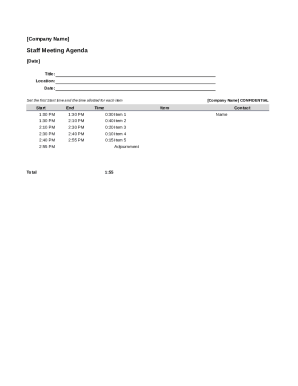
- Press the ‘Get Form’ button to retrieve the Staff Meeting Agenda and open it in your designated editor.
- Enter the title of the meeting in the designated field. Ensure the title reflects the purpose of the meeting clearly.
- Fill in the location where the meeting will take place. This can be a physical address or a virtual meeting link.
- Input the date of the meeting in the specified field to confirm when it will occur.
- Set the first start time for the meeting. This indicates when the meeting will begin.
- Allocate time for each agenda item by filling in the time allotted next to each item. Be mindful to balance discussion time fairly.
- List each agenda item chronologically, detailing the topics that will be discussed in the meeting.
- Review the entered information to ensure all fields are completed accurately.
- Once you are satisfied with the completed agenda, you can save your changes, or download, print, or share the form as needed.
Start completing your Staff Meeting Agenda online today for seamless meeting organization.
The objective of a staff meeting is to provide updates, deliver announcements, solicit feedback, share information and participate in a team environment. To be effective, staff meetings should have a detailed agenda, a time limit and a designated moderator.