Loading
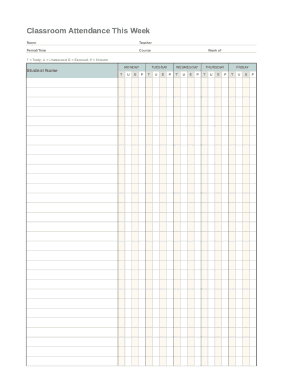
Get Classroom Attendance This Week
How it works
-

Open form follow the instructions
-

Easily sign the form with your finger
-

Send filled & signed form or save
How to fill out the Classroom Attendance This Week online
The Classroom Attendance This Week form is a crucial tool for tracking student attendance effectively. This guide will provide you with clear instructions on how to complete the form accurately and efficiently.
Follow the steps to complete the form with ease.
- Click the ‘Get Form’ button to obtain the form and open it in an online editor.
- Begin by entering the room number where the class is held. This sets the context for which classroom attendance is being recorded.
- Next, fill in the teacher's name to indicate who is responsible for the class. This helps maintain accountability and clarity.
- Specify the period or time of the class. This detail is essential for indicating the specific session being attended.
- Enter the course name, which identifies the subject for which attendance is being recorded.
- Include the week of the school year for which you are documenting attendance. This must align with the current academic calendar.
- For each student, write their name in the designated section. This allows for personalized attendance tracking.
- Below each student’s name, mark attendance for each day of the week using the following indicators: T for tardy, U for unexcused, E for excused, and P for present.
- Once all necessary fields have been filled out, review the form for accuracy to ensure all information is correct.
- Finally, save your changes, download a copy, print the form, or share it as needed to complete the submission process.
Start filling out your Classroom Attendance This Week form online today!
Basic Process. On a weekly basis determine the attendance percentage. (Number of Members Present or Made Up) divided by (Number of Members Used in Calculating Attendance) multiplied by 100 equals the weekly attendance percentage. At the end of the month, average the weekly percentages to get the monthly percentage.