Loading
Get Golf Score Sheet
How it works
-

Open form follow the instructions
-

Easily sign the form with your finger
-

Send filled & signed form or save
How to fill out the Golf Score Sheet online
This guide will assist users in effectively completing the Golf Score Sheet online. By following the outlined steps, you can accurately document your golf scores and track your performance over time.
Follow the steps to successfully complete your Golf Score Sheet.
- Click ‘Get Form’ button to obtain the form and open it in the editor.
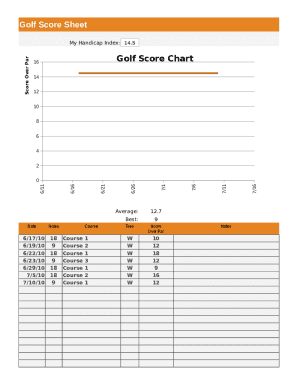
- Begin by entering your Handicap Index in the designated field. This value helps adjust your scores based on your skill level.
- Input the Start Date and End Date for the period you wish to document your golf scores. This timeframe will be used to track your games.
- Select the unique golf courses you played on during this period, ensuring each course’s name is accurately inputted in the corresponding section.
- For each course played, record the number of Holes completed, such as 18 or 9. This indicates how many holes were played in each round.
- Next, document your Score Over Par for each round. This metric helps track your performance against the par for the course.
- Use the Notes section to add any relevant information or observations about your rounds, which can be helpful for future reference.
- After filling out all required fields, review your entries for accuracy, then save your changes, download, print, or share the form as needed.
Start completing your Golf Score Sheet online today!
Typically, only the last name of a player is listed. Displayed to the right of each player's name are numbers that coincide with the hole and par columns. By the end of a tournament, a player will have a number listed in every hole/par column. These numbers reflect a player's overall score.