Loading
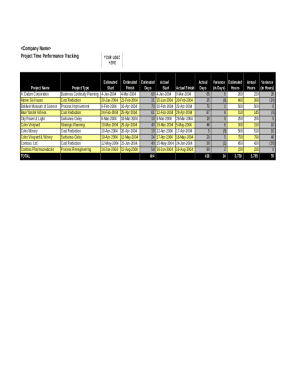
Get Proj Time Performance Tracking
How it works
-

Open form follow the instructions
-

Easily sign the form with your finger
-

Send filled & signed form or save
How to fill out the Proj Time Performance Tracking online
This guide provides clear instructions on how to effectively complete the Proj Time Performance Tracking form online. By following these steps, users can accurately monitor project timelines and performance metrics.
Follow the steps to complete your project time performance tracking.
- Click ‘Get Form’ button to obtain the form and open it in your editor.
- Identify the project name from the designated field. Enter the appropriate name for the project you are tracking.
- Select the project type from the options provided. Choose the classification that best describes your project among business continuity planning, cost reduction, process improvement, or strategic planning.
- Input the estimated start date for the project. Ensure it is in the correct format, typically MM-DD-YYYY.
- Enter the estimated finish date in the corresponding field. Double-check that this date logically follows the estimated start date.
- Fill in the estimated days required to complete the project. This should be a numerical value that reflects your project's expected duration.
- Input the actual start date when the project began. This should match the date work commenced.
- Enter the actual finish date upon project completion. Ensure it is recorded accurately for performance tracking.
- Record the actual days taken to complete the project, corresponding to the actual start and finish dates.
- Calculate the variance in estimated days and input results in the relevant fields. This shows the difference between estimated and actual durations.
- Save your changes, and if necessary, download, print, or share the completed form with relevant stakeholders.
Complete your Proj Time Performance Tracking online to efficiently manage project timelines.
Excel Project Tracker A project tracking spreadsheet is a useful visual tool to track each task's progress against the original plan. The spreadsheet should include all tasks, their status, the owner of the task, the percent complete and the planned duration versus actual duration.
Industry-leading security and compliance
US Legal Forms protects your data by complying with industry-specific security standards.
-
In businnes since 199725+ years providing professional legal documents.
-
Accredited businessGuarantees that a business meets BBB accreditation standards in the US and Canada.
-
Secured by BraintreeValidated Level 1 PCI DSS compliant payment gateway that accepts most major credit and debit card brands from across the globe.