Loading
Get Travel Calendar Template
How it works
-

Open form follow the instructions
-

Easily sign the form with your finger
-

Send filled & signed form or save
How to fill out the Travel Calendar Template online
This guide provides step-by-step instructions to help users effectively fill out the Travel Calendar Template online. By following these clear and concise instructions, you can ensure that your travel plans are organized and easily accessible.
Follow the steps to complete the Travel Calendar Template online.
- Click 'Get Form' button to obtain the Travel Calendar Template and open it in your preferred online editor.
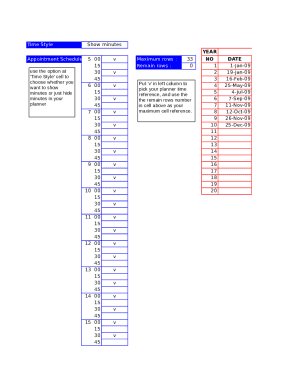
- In the 'Time Style' cell, choose whether you want to display minutes for each hour or hide them as per your preference. The options range from 5-minute intervals up to 60 minutes.
- Designate your planner time by putting 'v' in the left column next to each time slot you wish to select. Ensure that the maximum number of rows used does not exceed the allowed limit specified.
- Fill in the year you are planning your travel. Enter the four-digit year in the respective section provided.
- Complete the date section by entering specific dates relevant to your travel plans. Use the provided fields to input up to ten dates for your itinerary.
- List any holidays that may affect your travel. Use the designated section to outline public holidays that fall within your travel period.
- Utilize the 'Transportation/Accommodation' section to specify details about your travel arrangements and lodging during your trip.
- Document your daily schedules and activities by outlining them in the provided slots. Enter the time and corresponding activity for organized planning.
- In the 'Notes' section, jot down additional reminders or important information that you'll need for your trip, ensuring nothing is overlooked.
- Finally, save your changes, and you may choose to download, print, or share the completed Travel Calendar Template based on your needs.
Start filling out your Travel Calendar Template online today for a well-organized travel itinerary.
Open Microsoft Excel. Go to File > New and choose Available Templates. Find the Schedules option. Pick Business Schedules and select a template which is the best applicable to your business's needs.