Loading
Get Festival Food Template
How it works
-

Open form follow the instructions
-

Easily sign the form with your finger
-

Send filled & signed form or save
How to fill out the Festival Food Template online
The Festival Food Template is designed to help users organize and plan their food offerings for an event efficiently. This guide will provide you with clear, step-by-step instructions for completing the template online, ensuring that you capture all necessary information accurately.
Follow the steps to complete the Festival Food Template online.
- Click ‘Get Form’ button to access the template and open it in your preferred online editor.
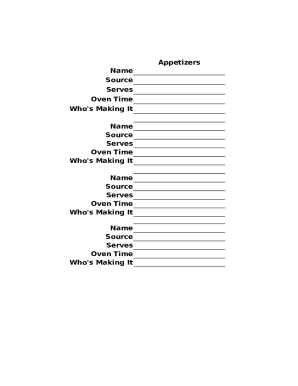
- In the 'Appetizers' section, input the name of each appetizer you plan to serve. Ensure you include the source of the recipe for reference.
- Indicate the number of servings each appetizer will provide. This helps in planning quantities.
- Fill in the oven time required for each appetizer to prepare efficiently before service.
- List the person responsible for making each appetizer to ensure accountability.
- Proceed to the 'Entrees' section and repeat steps 2-5 for the main course dishes.
- Next, move to the 'Side Dishes' section and again follow steps 2-5 for all side dishes.
- Finally, fill out the 'Desserts' section, completing all relevant fields as done in previous sections.
- Once you have filled out all sections, review the information for accuracy.
- You can now save your changes, download the completed template, print it out for physical reference, or share it with your team.
Complete the Festival Food Template online to streamline your event planning.