Loading
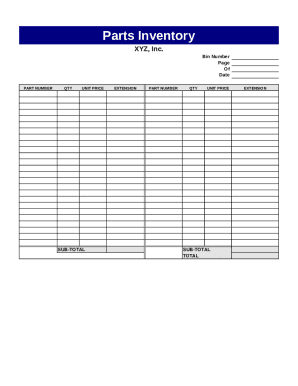
Get Parts Inventory Template
How it works
-

Open form follow the instructions
-

Easily sign the form with your finger
-

Send filled & signed form or save
How to fill out the Parts Inventory Template online
This guide provides essential instructions for users to effectively fill out the Parts Inventory Template online. By following the steps outlined below, you will ensure accurate and comprehensive inventory management.
Follow the steps to complete the Parts Inventory Template online.
- Click ‘Get Form’ button to download the form and open it in the online editor.
- Begin filling in the 'Bin Number' field with the specific location identifier for your parts inventory. This helps in organizing and quickly retrieving items.
- Enter the current date in the designated 'Date' field to ensure the inventory record is up to date.
- In the first 'PART NUMBER' section, input the unique identifier for the part. This is crucial for tracking the inventory accurately.
- Fill in the 'QTY' field with the quantity of the part currently in your inventory.
- Provide the 'UNIT PRICE' for each part, which is the cost of a single unit of that specific part.
- Calculate the 'SUB-TOTAL' by multiplying the 'QTY' by the 'UNIT PRICE' and input the result in the designated field.
- Repeat steps 4 through 7 for any additional parts in your inventory, ensuring each part is accurately recorded.
- Once all parts are documented, calculate the 'TOTAL' by summing all the 'SUB-TOTAL' amounts and enter it in the respective field.
- After completing the form, save your changes, download a copy for your records, print the form, or share it as needed.
Start managing your inventory more effectively by filling out the Parts Inventory Template online today.
In a column of a worksheet, type the values to sort by. ... Select all of the cells in that list, and then click File > Options > Advanced. Scroll way down to the General section and click Edit Custom Lists... In the Custom Lists box, click Import.