Loading
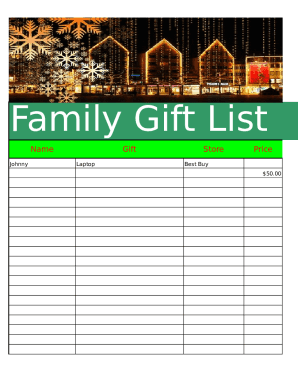
Get Family Gift Sheet
How it works
-

Open form follow the instructions
-

Easily sign the form with your finger
-

Send filled & signed form or save
How to fill out the Family Gift Sheet online
The Family Gift Sheet is an essential document for organizing and tracking gifts within a family. This guide will provide you with step-by-step instructions to ensure a smooth and efficient experience while completing the form online.
Follow the steps to complete the Family Gift Sheet with ease.
- Click ‘Get Form’ button to access the Family Gift Sheet and open it for editing.
- In the 'Name' field, enter the name of the person receiving the gift, ensuring spelling accuracy.
- In the 'Gift' section, specify the gift being given, such as 'Laptop' to clearly identify what is being gifted.
- Next, input the 'Store' where the gift was purchased, for example, 'Best Buy’.
- Fill in the 'Price' field with the amount spent on the gift, such as '$50.00', to provide clarity on the value of the gift.
- For the 'Bought?' section, mark 'Yes' or 'No' to indicate whether the gift has been purchased.
- In the 'Wrapped?' section, note 'Yes' or 'No' to signify if the gift is wrapped for presentation.
- Once all fields are filled out accurately, you may save your changes, download the document for your records, print it, or share it as needed.
Start completing your Family Gift Sheet online today to keep your gifting organized!
Related links form
The five gift rule says that you should give five gifts to your loved ones: one for each of the following categories: something they want, something they need, something to wear, something to read, and a special gift.