Loading
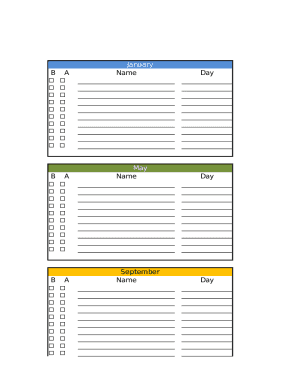
Get Bday & Anniversary Calendar
How it works
-

Open form follow the instructions
-

Easily sign the form with your finger
-

Send filled & signed form or save
How to fill out the Bday & Anniversary Calendar online
This guide provides a clear, step-by-step approach to filling out the Bday & Anniversary Calendar online. By following these instructions, users will efficiently manage and commemorate important dates.
Follow the steps to complete the form accurately.
- Click the ‘Get Form’ button to access the calendar in your preferred online editor.
- Begin with the section for January. Enter the name of the person and the day of their birthday in the specified fields.
- Proceed to February and repeat the entry process by filling in the name and day of the birthday.
- Continue through the calendar, completing sections for March, April, and so on, ensuring all names and corresponding days are entered for each month.
- Once all necessary information is filled out, review each section for accuracy to ensure no important dates are missed.
- Finally, save your changes and choose to download, print, or share the completed Bday & Anniversary Calendar as needed.
Start filling out your Bday & Anniversary Calendar online today!
Log into Gmail and choose Contacts from the menu in the upper left corner. ... Add birthdays to your individual contacts that the calendar will be able to use. ... Save the contact and then go to Google Calendar. In the Other Calendars box to the lower left, click on Add, and then Browse Interesting Calendars.