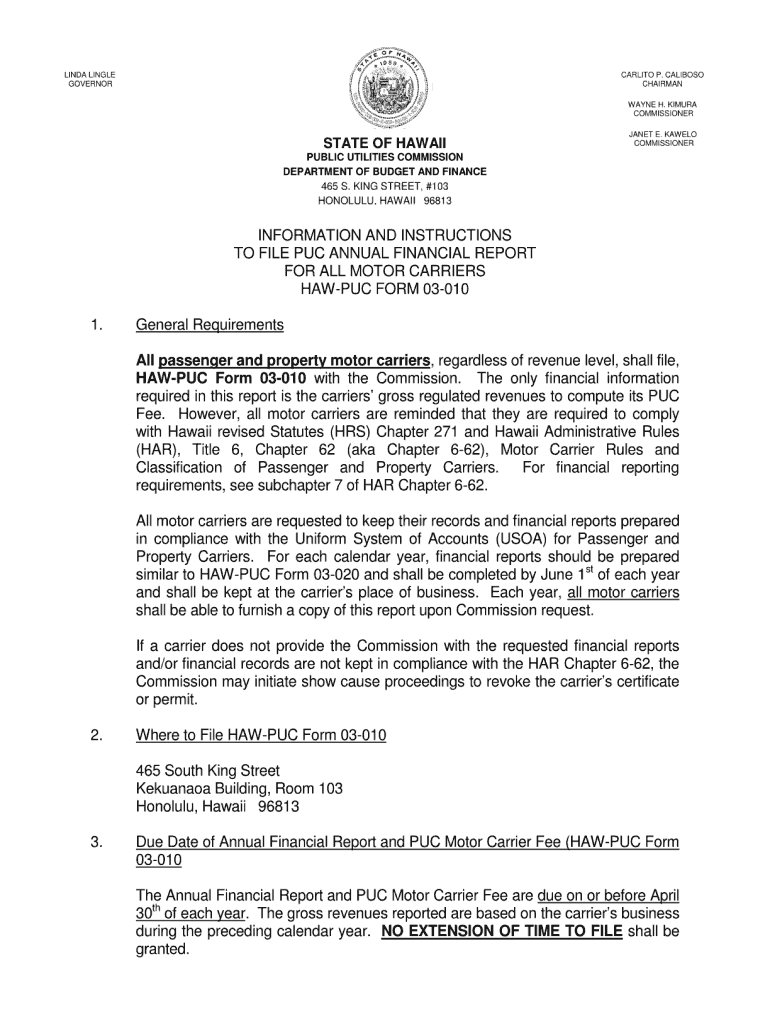
Similar to HAW-PUC Form 03-020 and shall be completed by June 1 st of each year and shall be kept at the carrier's place of business. Each year, all motor .
Loading

Open form follow the instructions

Easily sign the form with your finger

Send filled & signed form or save
How to fill out the HI HAW-PUC 03-010 online
Filling out the HI HAW-PUC 03-010 form online can streamline the process and ensure your information is submitted accurately. This guide offers clear, step-by-step instructions to help users navigate each section of the form efficiently.
Follow the steps to complete the HI HAW-PUC 03-010 form online
- Click the ‘Get Form’ button to access the form and open it in the editing tool.
- Start by entering your personal information in the designated fields. This typically includes your name, address, and contact details. Ensure all information is accurate to avoid delays.
- Proceed to the section that requires specific details related to the purpose of the form. Fill in the required information thoroughly, providing any relevant explanations where necessary.
- Review each field for completeness and accuracy. This is a crucial step to ensure that your submission meets all requirements.
- Once all sections are completed, you can save your progress, download a copy, print it for your records, or share it as needed.
Complete your forms online for a hassle-free experience.
Experience a faster way to fill out and sign forms on the web. Access the most extensive library of templates available.
Related content
Nov 14, 2022 — Carriers with gross revenues of $1,000,000 or less shall continue to file...
by CE Moore · 1945 · Cited by 693 — SAO/NASA ADS Astronomy Abstract Service...
Get answers to your most pressing questions about US Legal Forms API.
What does PUC stand for in driving?
In the context of driving, PUC can refer to 'Public Utility Commission.' This term is relevant for drivers operating vehicles for public transport service and ensuring they comply with safety regulations. Ensuring you understand the implications of the HI HAW-PUC 03-010 can guide you in meeting these important standards.
How do I get a health insurance license in Hawaii?
To acquire a health insurance license in Hawaii, you must complete state-required education and pass a licensing exam. Additionally, you will need to submit your application to the appropriate regulatory body along with necessary fees. The HI HAW-PUC 03-010 does not directly pertain to health insurance, but understanding PUC regulations can be beneficial for overall compliance.
What does PUC stand for in Hawaii?
PUC stands for 'Public Utilities Commission' in Hawaii. This commission is responsible for regulating public utility services, including electric, gas, water, and transportation services. The HI HAW-PUC 03-010 represents specific licensing necessary for compliance with these regulatory standards.
What does PU mean in Hawaii?
In Hawaii, PU typically stands for 'public utility.' This term is often associated with services that are regulated by the Hawaii Public Utilities Commission. Understanding the definition of PU is crucial for businesses that seek to obtain a HI HAW-PUC 03-010 and navigate the necessary regulations.
How to get a PUC license in Hawaii?
Getting a PUC license in Hawaii involves submitting your application to the Hawaii Public Utilities Commission. You must include all required documents that demonstrate your capability to meet business and safety standards. The process can be made easier by utilizing resources like the HI HAW-PUC 03-010 from US Legal Forms, which offers helpful insights and templates.
How to get a PUC?
To obtain a PUC license in Hawaii, you will need to go through a formal application process. This typically includes completing necessary documentation, meeting eligibility requirements, and paying applicable fees. Using the HI HAW-PUC 03-010 guide on the US Legal Forms platform can streamline this process by providing essential templates and guidance.
What is a PUC license in Hawaii?
A PUC license in Hawaii refers to a Permit Utility Commission license that allows businesses to operate in specific regulated areas. This license is essential for companies providing essential services such as transportation and telecommunications. Obtaining a HI HAW-PUC 03-010 license ensures compliance with local regulations and promotes safe practices within the industry.
How do I get a PUC?
To obtain a PUC, you need to submit an application to the Hawaii Public Utilities Commission. The process involves providing necessary documentation related to your business, such as proof of compliance with local regulations. By using the HI HAW-PUC 03-010 application, you can streamline your submission. Additionally, consider exploring USLegalForms for guidance through each step.
Does every state have a PUC?
Not every state has a Public Utilities Commission, but many do maintain similar regulatory bodies. These commissions oversee transportation services to ensure compliance and safety. In Hawaii, you will specifically work with the PUC to obtain your HI HAW-PUC 03-010 license, which is essential for conducting business.
What does PUC stand for in trucking?
In trucking, PUC stands for Public Utilities Commission. This body governs transportation services to ensure that companies operate fairly and safely. When you obtain a HI HAW-PUC 03-010 license, you align your business practices with the standards set by the PUC, which benefits both you and your customers.
Use professional pre-built templates to fill in and sign documents online faster. Get access to thousands of forms.
If you believe that this page should be taken down, please follow our DMCA take down process here.