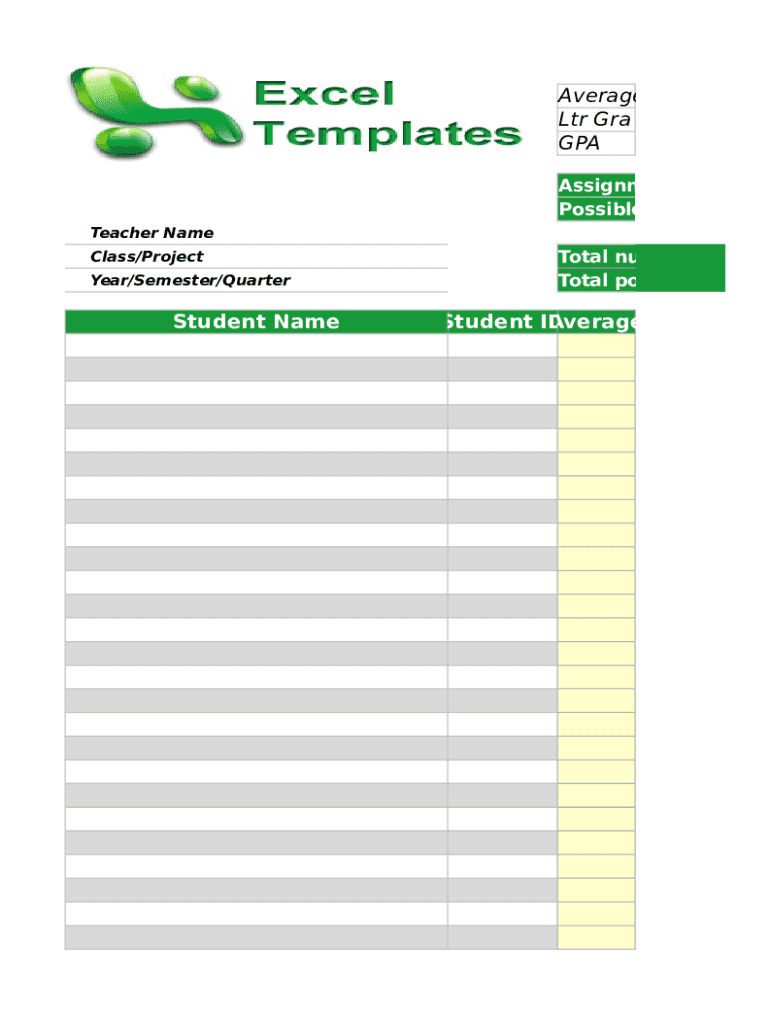
Average Ltr Gra GPAAssignment or Test N Possible Points Teacher Name Class/Project Year/Semester/QuarterStudent NameTotal number of assig Total possible points:Student ID AverageClass Summary Average Highest.
Loading

Open form follow the instructions

Easily sign the form with your finger

Send filled & signed form or save
How to fill out the Gradebookexcel Gradebook online
Filling out the Gradebookexcel Gradebook is an essential task for educators seeking to manage and track student performance effectively. This guide aims to provide user-friendly instructions to help you navigate the form and ensure accurate data entry.
Follow the steps to complete the Gradebookexcel Gradebook effectively.
- Press the ‘Get Form’ button to access the Gradebookexcel Gradebook and open it in your preferred editing interface.
- Begin by entering the student name in the designated field. This information is crucial for tracking individual performance.
- Fill in the teacher's name, class or project title, and the year, semester, or quarter to provide context for the data being recorded.
- Input the assignment or test name along with the possible points for that assessment. This section helps in calculating the averages correctly.
- Record the total number of assignments or tests and the total possible points for accuracy in scoring.
- Enter the student ID for each student to link their performance with their unique identifier.
- Fill in the average score obtained by the student as well as the letter grade and GPA associated with that average.
- Complete the class summary section. This should include the overall class average, highest score, and lowest score for a broader analysis of student performance.
- Finally, review all entered data for accuracy. Once confirmed, you can save your changes, download, print, or share the Gradebookexcel Gradebook as needed.
Start completing your documents online today for efficient management of student grades.
Experience a faster way to fill out and sign forms on the web. Access the most extensive library of templates available.
Related content
by JK Nighswander · 2001Grade book Excel software. Portfolio of their work. Homework...
Free Gradebook for Teachers: Grade, Graph, Weight, Filter, Print, and Analyze.Missing:...
646-521-1015 Press tote with fabric and your electronic grade book. Excel will be further...
Get answers to your most pressing questions about US Legal Forms API.
How do you insert marks in Excel?
Select a cell where you want to insert a checkmark. Go to the Insert tab > Symbols group, and click Symbol. In the Symbol dialog box, on the Symbols tab, click the drop-down arrow next to the Font box, and select Wingdings. A couple of checkmark and cross symbols can be found at the bottom of the list.
How do I create a gradebook in Excel?
Open Excel 2010. Click the File tab. Click New. In the Office.com Templates search box, type gradebook and then click the search (magnifying glass) button. Click the Gradebook with printable student progress report template. In the information pane, click Download.
How do I create a student Mark list in Excel?
9:46 18:19 Suggested clip Students Marks Sheet Ms Excel 2007 - YouTubeYouTubeStart of suggested clipEnd of suggested clip Students Marks Sheet Ms Excel 2007 - YouTube
How do I create a grading sheet in Excel?
Create The Key Table. Select cell M7, we will start typing the table here. Type "Average", this will be the first column. Press the tab key. Type "Grades" Under "Average" type your grading scale scores. Under the "Grades" column, type the corresponding letter grade to each score.
How do I use Excel to calculate grades?
To assign letter grade for each student based on their scores may be a common task for a teacher. For example, I have a grading scale defined where the score 0-59 = F, 60-69 = D, 70-79 = C, 80-89 = B, and 90-100 = A as following screenshot shown.
How do I create a grade distribution chart in Excel?
0:00 2:09 Suggested clip Creating a frequency distribution of grades in Excel - YouTubeYouTubeStart of suggested clipEnd of suggested clip Creating a frequency distribution of grades in Excel - YouTube
How do I create a student Marksheet in Excel?
First open microsoft excel from start menu in all programes. Click on new from file menu to create a new spreadsheet. Fill the data/information in various rows and columns by selecting the rows and columns one by one. If we need to find sum, average then enter various enteries in columns and rows.
How do I use Excel to track grades?
To find the grade, multiply the grade for each assignment against the weight, and then add these totals all up. So for each cell (in the Total column) we will enter =SUM(Grade Cell * Weight Cell), so my first formula is =SUM(B2*C2), the next one would be =SUM(B3*C3) and so on.
Use professional pre-built templates to fill in and sign documents online faster. Get access to thousands of forms.
If you believe that this page should be taken down, please follow our DMCA take down process here.