Loading
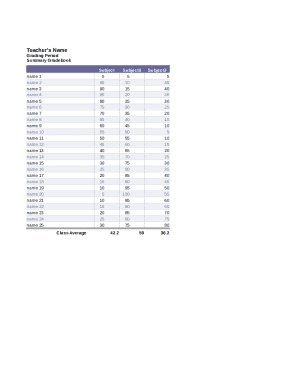
Get Teacher Gradebook
How it works
-

Open form follow the instructions
-

Easily sign the form with your finger
-

Send filled & signed form or save
How to fill out the Teacher Gradebook online
This guide provides detailed instructions for efficiently completing the Teacher Gradebook online. By following these steps, users can accurately input grades and comments to effectively track student progress.
Follow the steps to fill out the Teacher Gradebook online.
- Click the ‘Get Form’ button to access the Teacher Gradebook and open the document in your preferred editor.
- Begin with the teacher's name field. Enter the full name of the teacher responsible for the gradebook. This identifies the owner of the document.
- Next, locate the grading period section. Specify the relevant grading period for the data being recorded. Ensure this aligns with your academic calendar.
- Proceed to enter the subject name. Fill in the subject associated with the gradebook entries, ensuring it accurately reflects the material being taught.
- For each student, input their name in the designated rows. Ensure each student’s name is entered clearly and corresponds with their respective grades.
- Enter the grades for each student in the appropriate columns. Use the grading scale provided to accurately report performance in grades, assignments, quizzes, and tests.
- Calculate and input the class average for each subject. Ensure accuracy by averaging the grades before recording the final number.
- Include teacher comments to provide qualitative feedback for each student. This section allows for personalized insights regarding their performance.
- If applicable, provide a space for parent comments and signatures to ensure communication with guardians regarding student progress.
- Once all fields are completed, review the document for accuracy. After confirming the entries are correct, you may save changes, download, print, or share the gradebook.
Start filling out your Teacher Gradebook online today for better student tracking and engagement.
A gradebook is a collaborative, self-service tool for teachers and students that allows instructors to assign work to students, set due dates for assignments, grade assignments, provide midterm grades for deficiency reporting, interact with students, and submit final grades.
Industry-leading security and compliance
US Legal Forms protects your data by complying with industry-specific security standards.
-
In businnes since 199725+ years providing professional legal documents.
-
Accredited businessGuarantees that a business meets BBB accreditation standards in the US and Canada.
-
Secured by BraintreeValidated Level 1 PCI DSS compliant payment gateway that accepts most major credit and debit card brands from across the globe.