Loading
Get Canada Pptc 190 2020
How it works
-

Open form follow the instructions
-

Easily sign the form with your finger
-

Send filled & signed form or save
How to fill out the Canada PPTC 190 online
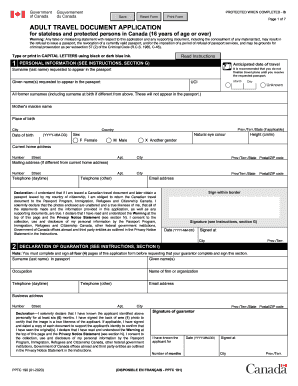
This guide provides clear and comprehensive instructions on completing the Canada PPTC 190 form online for stateless and protected persons aged 16 and over. This document is essential for those seeking a travel document in Canada, and it is important to fill it out accurately to avoid delays in processing.
Follow the steps to complete your application for a Canada travel document
- Click the 'Get Form' button to access the Canada PPTC 190 form and open it in the editor.
- Begin filling out the Personal Information section. Provide your anticipated date of travel, ensuring all dates are formatted correctly (YYYY-MM-DD). Enter your surname and given name(s) as you wish them to appear in the passport.
- Fill in your Unique Client Identifier (UCI) if applicable, along with all former surnames including your surname at birth. Next, provide your mother’s maiden name, place and date of birth, and current address, ensuring that your information is accurate.
- Indicate your sex and provide your natural eye color and height. Fill in your daytime and alternative telephone numbers, as well as your email address.
- Review and complete the Declaration section, signing and dating where required. Ensure that you understand the implications of false statements and the need to return the Canadian travel document if you obtain a passport from your country of citizenship.
- Proceed to the Declaration of Guarantor section. Gather a guarantor who meets the specified criteria and have them complete their information and signature.
- In the Proof of Immigration Status section, indicate the valid document that supports your immigration status in Canada and provide the document number, issue date, and expiry date.
- Complete the Previous Canadian Travel Document section if applicable by stating whether a Canadian travel document has been issued to you previously.
- In the Citizenship and Travel Documentation section, outline your original citizenship and any other citizenships you may hold. Indicate whether you possess any valid travel documents from countries other than Canada.
- Submit the Documents to Support Identity section, detailing the documents you are providing and their corresponding document numbers.
- Fill out the Additional Personal Information portion, including your addresses in the last two years and your occupations.
- Provide reference information for two individuals who have known you for at least six months but are not relatives. Ensure they agree to have their details provided.
- Optionally include emergency contact information. Complete this section to include any required contacts for assistance during travel.
- Finally, review the entire form for accuracy and completeness before saving your changes. You may then download, print, or share the form as needed.
Complete your Canada PPTC 190 application online today for a smooth travel document process.
Get form
Experience a faster way to fill out and sign forms on the web. Access the most extensive library of templates available.
Get This Form Now!
Use professional pre-built templates to fill in and sign documents online faster. Get access to thousands of forms.