Loading
Form preview
  • US Legal Forms
  • Other Templates
  • Industry Forms
  • Industry Insurance & Medical Forms
  • Ucla Knee - New Patient Intake Form 2013

Get Ucla Knee - New Patient Intake Form 2013-2026

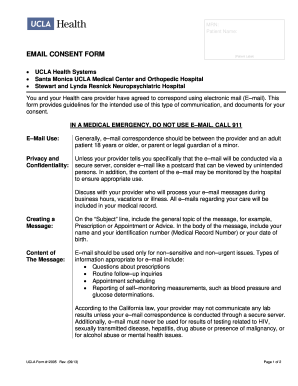
Place label here NAME OF PATIENT:Kristofer J. Jones, M.D. UCLA Sports Medicine Department of Orthopaedic SurgeryMRN: KNEE New Patient Intake Form Name Date Occupation Age DOB 1) Were you referred.

How it works

  1. Open form

    Open form follow the instructions

  2. Easily sign form

    Easily sign the form with your finger

  3. Share form

    Send filled & signed form or save

How to fill out the UCLA KNEE - New Patient Intake Form online

Filling out the UCLA KNEE - New Patient Intake Form online is an essential step in preparing for your visit. This guide will provide you with detailed, step-by-step instructions to ensure that you complete the form accurately and efficiently.

Follow the steps to successfully complete the intake form.

  1. Press the ‘Get Form’ button to access the UCLA KNEE - New Patient Intake Form and open it for editing.
  2. Enter your name and date at the top of the form. Ensure that the name is exactly as it appears on your identification documents.
  3. Provide your occupation, age, and date of birth in the designated fields.
  4. Answer the referral question by indicating whether you were referred to this office and providing the name if applicable.
  5. Input the name, phone number, and fax number of your primary care physician or internist.
  6. Detail your chief complaint by identifying which knee is affected, describing the issue, the duration of the problem, and whether it resulted from an injury.
  7. If you are experiencing pain, provide details on the location and intensity of your pain using the scale provided.
  8. Answer the activity-related symptoms questions by selecting ‘Yes’ or ‘No’ as they apply to you.
  9. If applicable, describe any additional symptoms you have experienced in the space provided.
  10. List any medications you are currently using and indicate any allergies you might have by selecting the appropriate options.
  11. Disclose any relevant medical history, including previous medical conditions and surgeries.
  12. Provide information on your alcohol and tobacco usage, as well as any recreational drug use.
  13. Complete the family medical history section by indicating any significant conditions experienced by family members.
  14. Finish by entering your height and weight in the specified areas.
  15. Review all entered information to ensure accuracy before submitting the form.
  16. Once completed, save the changes, and choose to download, print, or share the form as needed.

Take the next step towards your health by filling out the UCLA KNEE - New Patient Intake Form online today.

Get form

Experience a faster way to fill out and sign forms on the web. Access the most extensive library of templates available.
Get form

Related content

ValleyCare Olive View-UCLA Medical Center
Consult Form: Diagnostic Studies: ... ValleyCare Olive View-UCLA Medical Center/Health...
Learn more
Health Forms - UCLA Orthopaedic Surgery, Los...
Patient Resources · Request an Appointment · Billing and Insurance · Health Library ·...
Learn more
0e2ca307 678c 436f ad3f ef14bcb007d7...
The QME course will update physicians on the latest Workers' Compensation disability...
Learn more

Related links form

APPLICATION FORM - Lovely Professional University REALIS GYMNASTICS ACADEMY REGISTRATION FORM Bonded Promissory Note Barangay Budget Preparation Forms 2019 Excel

Questions & Answers

Get answers to your most pressing questions about US Legal Forms API.

Contact support

You can get an EIN immediately by applying online. International applicants must call 267-941-1099 (Not a toll-free number). If you prefer, you can fax a completed Form SS-4 to the service center for your state, and they will respond with a return fax in about one week.

An EIN is a 9-digit number (for example, 12-3456789) assigned to employers, sole proprietors, corporations, partnerships, estates, trusts, certain individuals, and other entities for tax filing and reporting purposes. Note: Keep the Form SS-4 information current.

EIN. An Employer Identification Number (EIN) is also known as a federal tax identification number, and is used to identify a business entity. It is also used by estates and trusts which have income which is required to be reported on Form 1041, U.S. Income Tax Return for Estates and Trusts.

Using Your EIN Number Open a business bank account. Obtain credit in the name of the company. Recruit employees and create a payroll. Obtain local permits and licenses. Use an EIN instead of Social Security Number (SSN). Establish a Keogh plan. An EIN also protects your privacy.

An EIN number follows the following format: XX-X (for example, 12-3456789). The two-digit prefix refers to which of the 12 different IRS EIN sources issued your federal identification. Prior to 2001, the first two digits indicated the place where your business was located.

Step by Step: How to Apply for an EIN Go to the IRS website. ... Identify the legal and tax structure of your business entity. ... If your business is an LLC, provide information about the members. ... State why you are requesting an EIN. ... Identify and describe a contact person for the business. ... Provide the business' location.

TIN is a unique identification number required for every business enterprise registered under VAT. A TIN typically contains 11 characters and is provided by the IT department to all the business entities willing to register under VAT or CST.

Here are the precise steps for completing the online EIN application: Go to the IRS website. ... Identify the legal and tax structure of your business entity. ... If your business is an LLC, provide information about the members. ... State why you are requesting an EIN. ... Identify and describe a contact person for the business.

ing to an attorney, “Every foreign owned company needs an EIN. Banks require it and the IRS requires for filing form 5472.

The EIN is a 9-digit number, with a dash separating the first 2 digits: XX-X. Your employer's EIN is located in box b of your W-2 form, right above your employer's name and address.

Get This Form Now!

Use professional pre-built templates to fill in and sign documents online faster. Get access to thousands of forms.
Get form
If you believe that this page should be taken down, please follow our DMCA take down processhere.
Get UCLA KNEE - New Patient Intake Form
Get form
  • Adoption
  • Bankruptcy
  • Contractors
  • Divorce
  • Home Sales
  • Employment
  • Identity Theft
  • Incorporation
  • Landlord Tenant
  • Living Trust
  • Name Change
  • Personal Planning
  • Small Business
  • Wills & Estates
  • Packages A-Z
  • Affidavits
  • Bankruptcy
  • Bill of Sale
  • Corporate - LLC
  • Divorce
  • Employment
  • Identity Theft
  • Internet Technology
  • Landlord Tenant
  • Living Wills
  • Name Change
  • Power of Attorney
  • Real Estate
  • Small Estates
  • Wills
  • All Forms
  • Forms A-Z
  • Other Templates
  • Legal Hub
  • About Us
  • Help Portal
  • Legal Resources
  • Blog
  • Affiliates
  • Contact Us
  • Delete My Account
  • Site Map
  • Industries
  • Forms in Spanish
  • Localized Forms
  • State-specific Forms
  • Forms Kit
  • Real Estate Handbook
  • All Guides
  • Notarize
  • Incorporation services
  • For Consumers
  • For Small Business
  • For Attorneys
  • USLegal
  • FormsPass
  • pdfFiller
  • signNow
  • altaFlow
  • DocHub
  • Instapage
Form Packages
  • Adoption
  • Bankruptcy
  • Contractors
  • Divorce
  • Home Sales
  • Employment
  • Identity Theft
  • Incorporation
  • Landlord Tenant
  • Living Trust
  • Name Change
  • Personal Planning
  • Small Business
  • Wills & Estates
  • Packages A-Z
Form Categories
  • Affidavits
  • Bankruptcy
  • Bill of Sale
  • Corporate - LLC
  • Divorce
  • Employment
  • Identity Theft
  • Internet Technology
  • Landlord Tenant
  • Living Wills
  • Name Change
  • Power of Attorney
  • Real Estate
  • Small Estates
  • Wills
  • All Forms
  • Forms A-Z
  • Other Templates
Customer Service
  • Legal Hub
  • About Us
  • Help Portal
  • Legal Resources
  • Blog
  • Affiliates
  • Contact Us
  • Delete My Account
  • Site Map
  • Industries
  • Forms in Spanish
  • Localized Forms
  • State-specific Forms
  • Forms Kit
Legal Guides
  • Real Estate Handbook
  • All Guides
Prepared for you
  • Notarize
  • Incorporation services
Our Customers
  • For Consumers
  • For Small Business
  • For Attorneys
Our Sites
  • USLegal
  • FormsPass
  • pdfFiller
  • signNow
  • altaFlow
  • DocHub
  • Instapage
Social Media
Call us now toll free:
+1 833 426 79 33
As seen in:
© Copyright 1999-2026 airSlate Legal Forms, Inc. 17 Station Street, Ste. 203, Brookline, MA 02445
  • Your Privacy Choices
  • Terms of Service
  • Privacy Notice
  • Content Takedown Policy
  • Bug Bounty Program