Loading
Get Canada T2125 E
How it works
-

Open form follow the instructions
-

Easily sign the form with your finger
-

Send filled & signed form or save
How to fill out the Canada T2125 E online
The Canada T2125 E form is an essential document for reporting business or professional income for individuals operating a business in Canada. It is critical for users to accurately complete this form to ensure proper reporting of income and expenses.
Follow the steps to fill out the T2125 E form efficiently.
- Click ‘Get Form’ button to obtain the T2125 E and open it in your online editor.
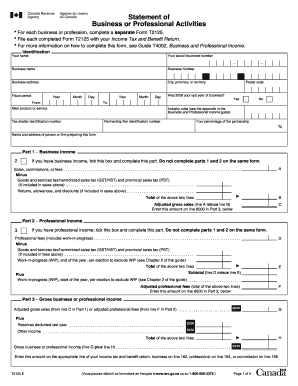
- Begin by filling in your identification details, including your name, social insurance number, business name, business number, and business address. Ensure the fiscal period dates are accurate by entering the year, month, and day for which you're reporting.
- Indicate whether 2008 was your last year of business by selecting 'Yes' or 'No'. Then, describe your main product or service and find the corresponding industry code from the provided appendix.
- In Part 1, if you have business income, check the appropriate box and complete this section. Enter total sales, commissions, or fees and deduct any applicable taxes and returns from this amount to determine your adjusted gross sales.
- If you have professional income, go to Part 2 and tick the appropriate box. Enter professional fees and apply necessary tax deductions, then calculate your adjusted professional fees.
- Complete Part 3 for gross business or professional income, adding any reserves from the prior year along with other income. Finally, compute the total to derive your gross income.
- Proceed to Part 4, where you'll fill in the cost of goods sold and gross profit. Include relevant details such as opening and closing inventories, purchases, and other costs related to your business.
- Move to Part 5 to report your net income or loss before adjustments. Detail business expenses and subtract them from the gross income calculated previously.
- Finally, in Part 6, provide your share of the income or loss and indicate any other deductible amounts. Ensure the final net income or loss is accurately reported for inclusion in your tax return.
- After completing all sections, be sure to save your changes. You can download, print, or share the form as needed to finalize your submission.
Complete your T2125 E form online to ensure your business income is accurately recorded and comply with tax regulations.
To file taxes for Skip the Dishes in Canada, you need to report your earnings using the Canada T2125 E form. Keep meticulous records of your earnings and any business-related expenses to ensure you maximize your tax compliance. Consulting resources like UsLegalForms can provide further insight into the process, making it easier for you to navigate your tax obligations.