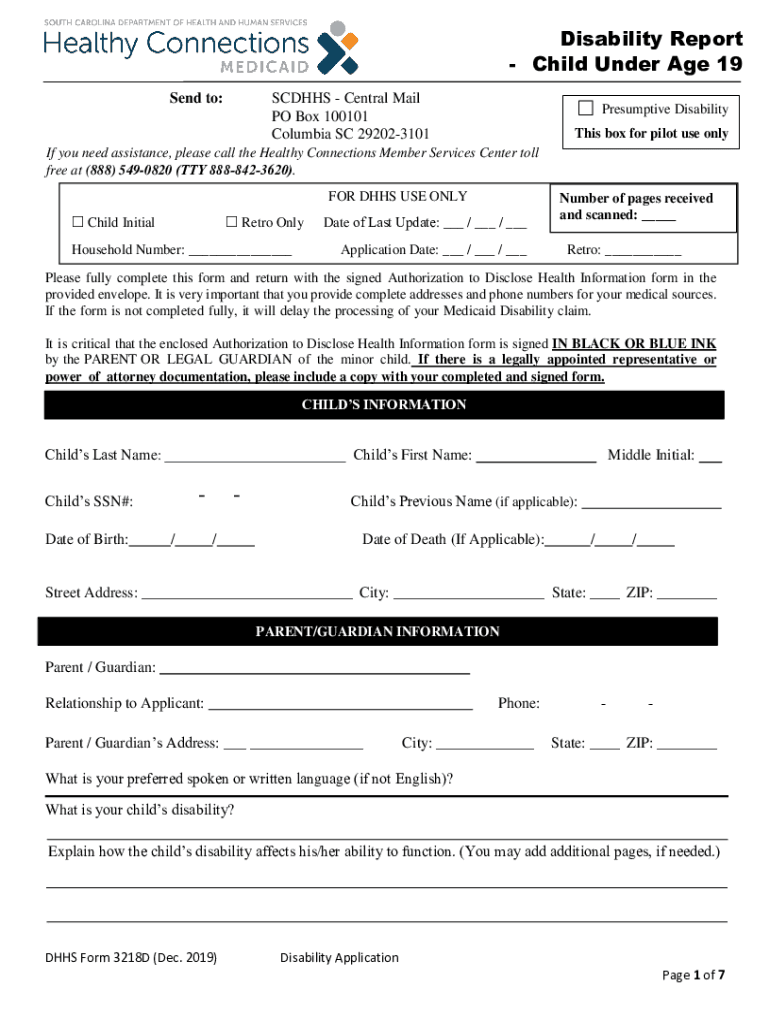
Disability Report Child Under Age 19 Send to:SCDHHS Central Mail PO Box 100101 Columbia SC 292023101Presumptive Disability This box for pilot use onlyIf you need assistance, please call the Healthy.
Loading

Open form follow the instructions

Easily sign the form with your finger

Send filled & signed form or save
How to fill out the SC DHHS Form 3218D online
Filling out the SC DHHS Form 3218D online is an essential step in submitting a Disability Report for a child under the age of 19. This guide provides a comprehensive walkthrough to help you complete the form accurately and efficiently.
Follow the steps to successfully complete the form.
- Click ‘Get Form’ button to obtain the form and open it in the editor.
- Begin by filling in the child’s information. Include their last name, first name, social security number, and date of birth. Be sure to provide any previous names and, if applicable, the date of death.
- Enter the parent or guardian's information, including their name, relationship to the child, phone number, and address. It's important to ensure this information is complete for effective communication.
- Indicate the child’s preferred spoken or written language if it is not English. Provide a clear description of the child's disability and explain how it affects their ability to function. You may add extra pages if necessary.
- Complete the school or training information section. Indicate if the child is attending school and provide the current grade and primary teacher’s name. Include details about any special education programs, school name, and school phone number, if applicable.
- List all therapy providers the child has seen outside of school, including their names, addresses, types of services, and when they were last seen. This is important for ensuring all medical histories are accounted for.
- Provide a detailed record of all medical treatments received in the last 15 months by listing each doctor, their address, clinic name, reason for visit, and date last seen.
- Include a list of all facilities the child has visited for urgent care or hospital services, detailing the facility name, address, reason for visits, and last dates seen.
- Use the remarks section to provide any additional information that could be relevant for the disability claim decision.
- Before submitting, ensure that the Authorization to Disclose Health Information form is signed in black or blue ink by the parent or legal guardian. Include it with your completed form.
- Once all sections are complete, save your changes. You may then download, print, or share the completed form as needed.
Start filling out the SC DHHS Form 3218D online now to ensure your child's disability report is submitted accurately.
Experience a faster way to fill out and sign forms on the web. Access the most extensive library of templates available.
Related content
DHHS FORM 3218 (Dec. 2019). Disability Application. Page 1 of 7. Send to: SCDHHS - Central...
Oct 29, 2020 — Nebraska Department of Health and Human Services (DHHS) ... Essential...
On May 4, 2020, the Maine Department of Health and Human Services separated confirmed and...
Use professional pre-built templates to fill in and sign documents online faster. Get access to thousands of forms.
If you believe that this page should be taken down, please follow our DMCA take down process here.