Loading
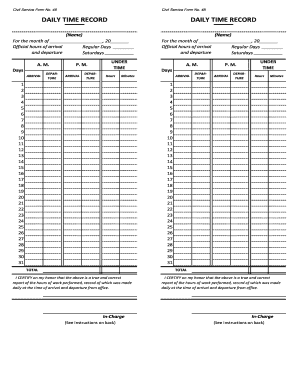
Get Ph Civil Service Form 48
How it works
-

Open form follow the instructions
-

Easily sign the form with your finger
-

Send filled & signed form or save
How to fill out the PH Civil Service Form 48 online
Filling out the PH Civil Service Form 48 online is a straightforward process that requires attention to detail. This guide provides clear, step-by-step instructions to help users accurately complete the form and maintain a record of work hours.
Follow the steps to complete the form accurately.
- Click the ‘Get Form’ button to obtain the form and open it in your preferred editing tool.
- In the section for 'Name', enter your full name as required. This identifies the individual submitting the form.
- Enter the month and year for which you are reporting your daily time record in the fields provided.
- Record your official hours of arrival and departure for regular days and Saturdays. Fill in the respective times in the designated areas.
- In the provided table, document your arrival and departure times for each day of the month. Ensure to include both morning and afternoon times.
- For each day you may have under time, accurately fill in the corresponding hours and minutes indicating the amount of time that falls short of your expected hours.
- Total your hours worked and any under time at the end of the month in the designated total fields, ensuring all figures are correct.
- Review the information for accuracy. Once verified, certify on your honor that the recorded hours are true and correct. Sign in the 'In-Charge' section.
- After completing the form, save your changes. You can then download, print, or share the completed form as required.
Complete your PH Civil Service Form 48 online today to maintain your accurate work record.
It shall be the duty of each head of department or agency to require all officers and employees under him to strictly observe the prescribed office hours.