Loading
Get Au M40 2020-2026
How it works
-

Open form follow the instructions
-

Easily sign the form with your finger
-

Send filled & signed form or save
How to fill out the AU M40 online
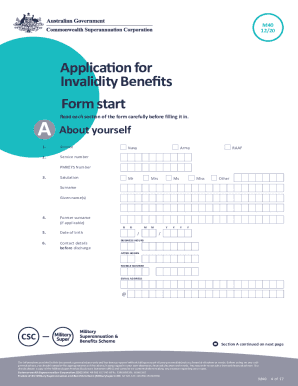
The AU M40 is a crucial form for members of the Military Superannuation and Benefits Scheme looking to apply for invalidity benefits upon discharge from the Australian Defence Forces. This guide provides clear, step-by-step instructions to help users complete the form accurately and efficiently.
Follow the steps to successfully complete the AU M40 form online.
- Click 'Get Form' button to obtain the AU M40 form and access it in your preferred digital format.
- Read the important information and determine if you are eligible to use this form based on your discharge status and reason. Confirm any additional requirements you may need to fulfill.
- Begin with Section A, entering your personal details, including your service number, full name, and date of birth. Ensure accuracy as these details are critical for your application.
- In Section B, provide details about your discharge, including the discharge center and date. It is essential to keep this information updated to avoid processing delays.
- In Section C, indicate if you have a superannuation contributions surcharge debt and how you wish to have it deducted if applicable.
- For Section D, if you are entitled to a pension, provide your bank account details to ensure your benefits are deposited correctly.
- Move to Section E to select your Member Benefit options. Clearly indicate how you would like your benefits processed (e.g., preserve, rollover, or take as cash).
- In Section F, specify your Ancillary Benefit options and whether you wish to cash out or roll over your ancillary types.
- For Section G, ensure you provide valid identification. If opting for electronic verification, make sure to authorize this clearly.
- Complete Section K with your tax file number and any declarations required, ensuring compliance with the Superannuation Industry regulations.
- Review the entire form carefully for any errors or missing information before submission.
- You can save changes to the form, download it for your records, and then submit it via post or your preferred electronic method.
Complete your AU M40 form online today to ensure a smooth application process for your invalidity benefits.