Loading
Get Nominated Qualified Supervisor - Business
How it works
-

Open form follow the instructions
-

Easily sign the form with your finger
-

Send filled & signed form or save
How to fill out the NOMINATED QUALIFIED SUPERVISOR - Business online
This guide provides a comprehensive overview of how to effectively complete the NOMINATED QUALIFIED SUPERVISOR - Business form online. By following the detailed instructions, users will ensure compliance and precision in their submissions.
Follow the steps to complete the form accurately.
- Click ‘Get Form’ button to obtain the form and open it in your preferred document management tool.
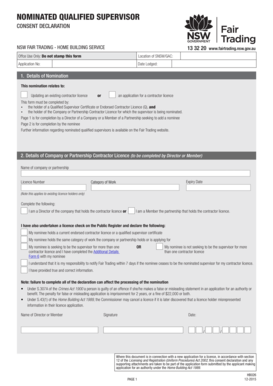
- In the 'Details of Nomination' section, indicate whether this nomination relates to updating an existing contractor licence or applying for a new one. Ensure that the form is filled out by the holder of a Qualified Supervisor Certificate or Endorsed Contractor Licence, in conjunction with the holder of the Company or Partnership Contractor Licence.
- Proceed to the 'Details of Company or Partnership Contractor Licence' section. Here, include the name of the company or partnership, licence number, expiry date, and the category of work. Check the box confirming your role as either a Director or a Member of the partnership and ensure you declare your nominee's qualifications and license status.
- Next, complete the 'Details of Nominated Supervisor' section. Enter the full legal name, date of birth, and certificate or licence number of the nominated supervisor. Ensure that the category of work matches that held or being applied for by the company or partnership.
- In this section, provide the business address along with the appropriate contact details, including phone numbers and email.
- Select your employment status regarding the contractor licence and indicate if you are already a nominated supervisor for another licence. If applicable, you will need to attach the Additional Details Form 6 to justify your request for multiple licenses.
- Finally, review all declarations and signatures. Ensure that the declarations are complete and accurate, as any false information may lead to penalties. Once satisfied, sign and date the form.
- After completing the form, choose your preferred method for submission: email, in-person lodging at your local service centre, or mail it to NSW Fair Trading.
Complete and submit your NOMINATED QUALIFIED SUPERVISOR - Business form online today to ensure compliance.
Share the same values. ... Choose a partner with complementary skills. ... Have a track record together. ... Clearly define each partner's role and responsibilities. ... Select the right business structure. ... Put it in writing. ... Be honest with each other.