Loading
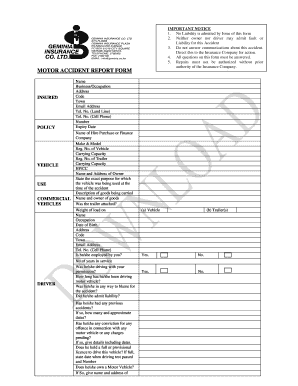
Get Geminia Insurance Form
How it works
-

Open form follow the instructions
-

Easily sign the form with your finger
-

Send filled & signed form or save
How to fill out the Geminia Insurance Form online
Filling out the Geminia Insurance Form online is a straightforward process that ensures you provide necessary information regarding an accident. This guide will walk you through each step, ensuring that your submission meets all requirements.
Follow the steps to complete your Geminia Insurance Form online with ease.
- Click ‘Get Form’ button to obtain the form and open it in the editor.
- In the insured section, fill in your policy details, including the vehicle's make and model, registration number, and carrying capacity.
- Provide driver information such as their name, occupation, address, and contact details, including email and phone numbers.
- State the purpose of the vehicle's use at the time of the accident and specify any goods being carried.
- Answer questions related to the driver, including their driving history and any previous accidents or offenses.
- In the accident section, detail the date and time of the incident, the type of road surface, visibility, and weather conditions.
- Sketch a plan of the accident, ensuring to indicate the position of all vehicles and relevant traffic signs.
- Complete statements by the driver and owner of the insured vehicle, noting any damage observed.
- If there are other vehicles or individuals involved, fill in their details accurately, including any witnesses.
- Review all information for clarity and accuracy, then save your changes, download, print, or share the form as needed.
Start filling out your Geminia Insurance Form online to ensure a smooth claims process.
Claims procedure Call on HDFC ERGO's toll free helpline no. 022 6234 6234 / 0120 6234 6234 and register your claim.