Loading
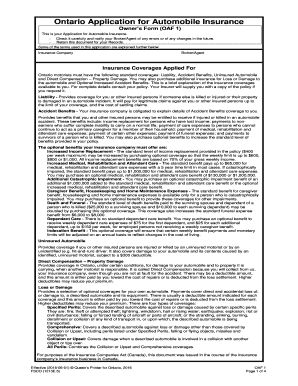
Get Ontario Automobile Application
How it works
-

Open form follow the instructions
-

Easily sign the form with your finger
-

Send filled & signed form or save
How to fill out the Ontario Automobile Application online
This guide provides a comprehensive overview of how to complete the Ontario Automobile Application online, ensuring you gather all necessary information and understand each component of the form. Whether you are a seasoned applicant or new to auto insurance, this guide will walk you through the process with clarity and support.
Follow the steps to successfully complete your application.
- Click ‘Get Form’ button to obtain the form and open it in the editor.
- Begin by entering information about the insurance company and your broker or agent, including their contact details. Ensure to specify your preferred language for communications.
- Fill in the applicant's details, including name, primary address, and contact information. Make sure to provide accurate phone numbers and postal codes.
- Specify the policy period by indicating the effective date and expiry date. Ensure that the time is noted correctly as per your local time zone.
- Describe the automobiles to be insured by entering details such as year, make, model, and any special features or modifications. Specify whether the vehicles are owned or leased.
- Provide estimated annual driving distances and specify the primary use of each vehicle. Include any details for carpooling arrangements if applicable.
- List all drivers who will operate the described vehicles, including their date of birth and driver's license information. Address whether there are any additional licensed drivers in the household.
- Fill out a history of accidents and insurance claims for the past six years, ensuring accurate disclosure of any claims related to automobile usage.
- Indicate the insurance coverages applied for, specifying the limits and premiums for liability, accident benefits, and any optional coverages you desire.
- Review all sections carefully for accuracy. Any changes or errors should be corrected before final submission.
- Sign the applicant declaration, confirming that the information you provided is complete and truthful. Retain a copy of the application for your records.
Ready to complete your Ontario Automobile Application online? Get started now.
You must have a valid driver's license To obtain an auto insurance policy, you need to have a valid license. If you intend to list any other drivers on the policy, they will also need to have a valid driver's license.
Industry-leading security and compliance
US Legal Forms protects your data by complying with industry-specific security standards.
-
In businnes since 199725+ years providing professional legal documents.
-
Accredited businessGuarantees that a business meets BBB accreditation standards in the US and Canada.
-
Secured by BraintreeValidated Level 1 PCI DSS compliant payment gateway that accepts most major credit and debit card brands from across the globe.