Loading
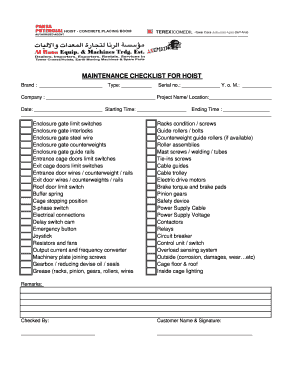
Get Aremates Safety Hoist Form
How it works
-

Open form follow the instructions
-

Easily sign the form with your finger
-

Send filled & signed form or save
How to fill out the Aremates Safety Hoist Form online
The Aremates Safety Hoist Form is an essential document used for ensuring the safety and maintenance of hoist equipment. This guide will provide you with detailed, step-by-step instructions on how to accurately fill out this form online.
Follow the steps to complete the Aremates Safety Hoist Form online.
- Click 'Get Form' button to obtain the form and open it in the editor.
- Begin by entering the brand of the hoist in the designated field labeled 'Brand'.
- Next, indicate the type of hoist by filling in the 'Type' section.
- Record the serial number of the hoist in the field provided for 'Serial no.'.
- Specify the year of manufacture in the 'Y. o. M.' section.
- Fill out the 'Company' field with the name of your organization.
- In the 'Project Name/ Location' section, provide the relevant project name and its location.
- Input the date on which the checklist is being filled out in the 'Date' field.
- Enter the starting time and ending time of the maintenance check in their respective fields.
- Proceed to check each item listed, such as enclosure gate limit switches and electrical connections, and mark them as complete or needing attention.
- Document any remarks in the 'Remarks' section to provide additional notes on the inspection.
- Ensure the form is signed by the person who conducted the checks in the 'Checked By' section.
- Lastly, remember to enter the customer name and have them sign the form before final submission.
- Once all fields and sections are completed, you may save changes, download, print, or share the Aremates Safety Hoist Form.
Complete your Aremates Safety Hoist Form online today for effective documentation.