Loading
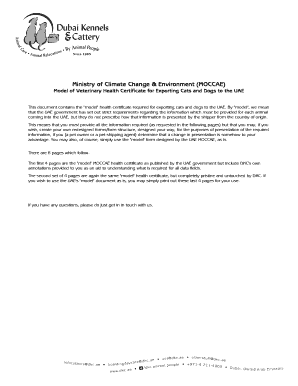
Get Annex For Uae Avi Import
How it works
-

Open form follow the instructions
-

Easily sign the form with your finger
-

Send filled & signed form or save
How to fill out the Annex For UAE AVI Import online
The Annex For UAE AVI Import is a crucial document for the importation of pets into the United Arab Emirates. This guide provides comprehensive instructions on how to accurately fill out the form online, ensuring that all required information is provided clearly and effectively.
Follow the steps to complete the Annex For UAE AVI Import online.
- Click ‘Get Form’ button to obtain the form and open it in the editor.
- Begin by entering the exporting country in the designated field. This must reflect the country from where the animal is being exported.
- In field 1.1, provide the name of the exporter, which is the pet owner's name.
- For field 1.2, enter the health certificate number as assigned by the official veterinarian in the country of origin.
- In the address section, fill in the shipper's address where requested.
- Field 1.3 requires you to specify the veterinary authority, which is the name of the government or ministry authority in the exporting country.
- Field 1.4 is for the importer name, which should match the name and address as listed on the Air Waybill (AWB). Enter this information accordingly.
- Specify the country of origin in field 1.5, along with the ISO code.
- In fields 1.6 and 1.8, fill in the region and facility information, mentioning the Dubai Kennels & Cattery for the UAE.
- Field 1.9 requests the place of origin, where you must enter the city of departure and the pet owner's address.
- Enter the port of departure in field 1.10, indicating the name of the airport from which the pet departs.
- Input the date of departure in field 1.11.
- Select the transport means in field 1.12, indicating whether it is by air, sea, or land.
- Complete field 1.14 by indicating whether the import type is for trade or personal.
- Fill in the name of the animal in field 1.15.
- In field 1.16, specify if it is a final import or temporary entry.
- Complete fields 1.17 through 1.21, detailing the animal’s microchip number, breed, date of birth, species, and description.
- Certify that the animal meets all necessary health conditions by having the Government Veterinarian In-Charge sign and stamp the document.
- If applicable, fill out the declaration section for pets that transit through another country before reaching the UAE.
- Once all fields are completed, review the information for accuracy, and save changes.
- You may then download, print, or share the completed form as needed.
Ensure all necessary documents are completed accurately and file your forms online to facilitate a smooth import process.
Accompanied Pets Weight (Travel Crate + Pet)Dimensions (Travel Crate)PriceUp to 23kgUp to 59in / 150cm$500 USDBetween 24-32kgBetween 59in / 150cm and 118in / 300 cm$650 USDOver 32kgBetween 59in / 150cm and 118in / 300 cm$800 USDN/AOver 118in / 300cmCargo